BACnet: Read Node
The BACnet: Read Node allows you to read multiple properties across multiple objects from your BACnet device. This node is only available in Edge Workflows.
Configuration
There are three main properties that require configuration for this node.
Connection Config
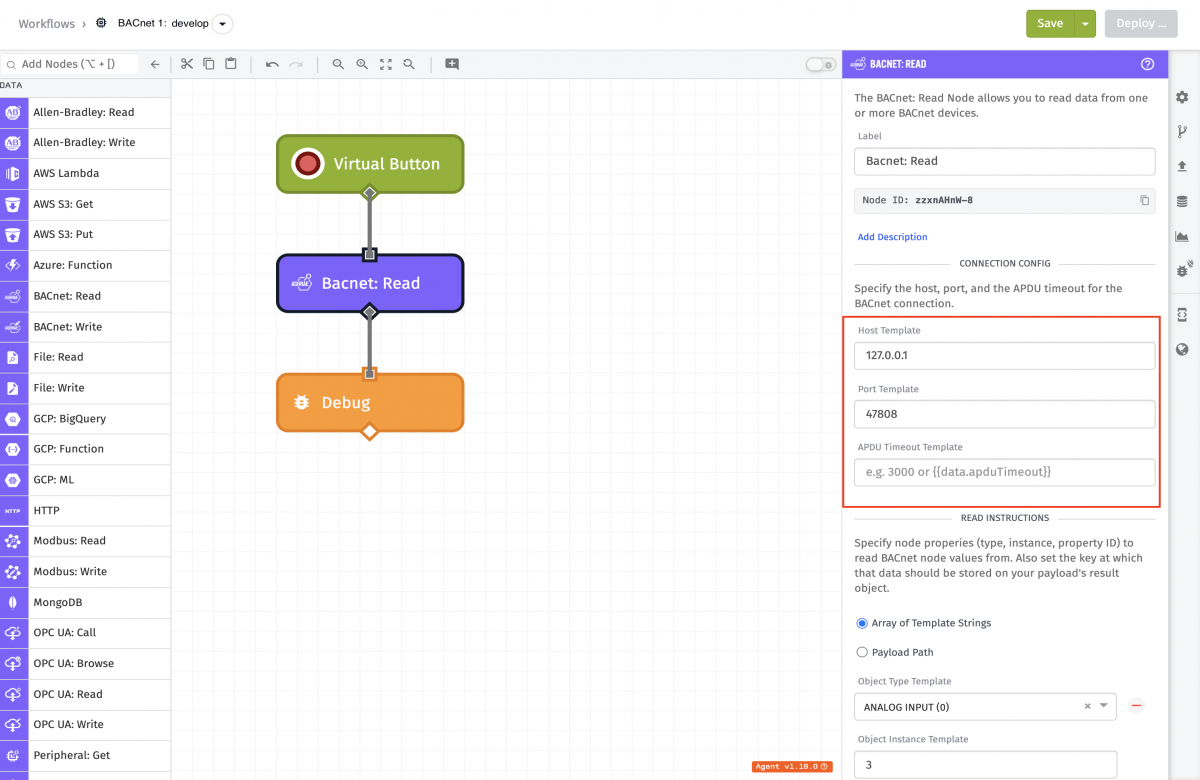
The Connection Configuration contains the following fields:
- Host Template: (Required) A string template for the IP address at which the device resides.
- Host Port Template: (Optional) A string template or integer for the port on the BACnet device. It defaults to port 47808.
- Incoming Port Template: (Optional) A string template or integer for the receiving port on the Edge Agent. It defaults to port 47808.
- APDU Timeout Template: (Optional) A string template or integer to determine the time in milliseconds until a transaction should be interpreted as an error.
Read Instructions
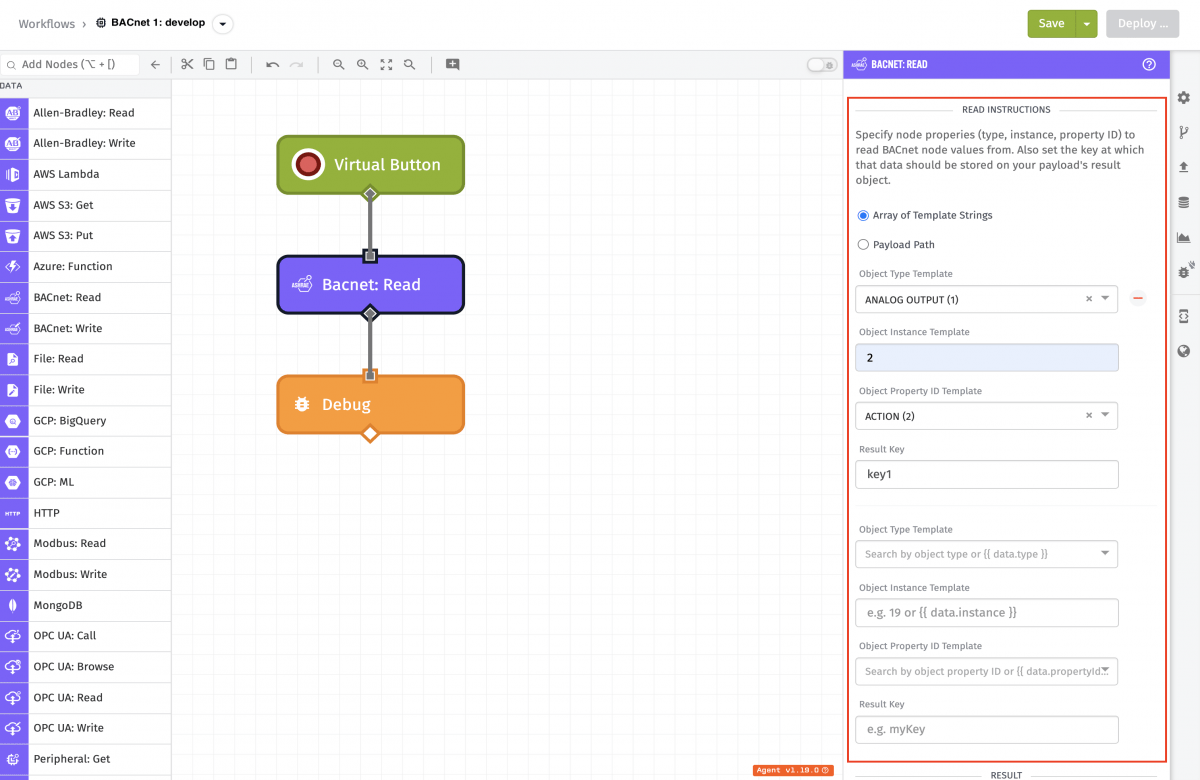
Read Instructions can be specified in one of two ways, and it is required that one Read Instruction option is configured.
-
Array of Template Strings: For each Read Instruction, fill out the following input configuration fields, all of which support templating. You must define at least one instruction:
- Object Type Template: (Required) This field can either be an integer or a template but it must resolve to a valid object type value.
- Object Instance Template: (Required) This field can either be an integer or a template but it must resolve to a valid instance number. This should resolve to an integer between 0 to 4,194,302 inclusive.
- Object Property ID Template: (Required) This field can either be an integer or a template but it must resolve to a valid property identifier value.
- Result Key: (Required) The key at which to store the result of this read operation. This key will exist on the Result Path defined below the instructions. This can resolve to any string except
errors, since that key is reserved for any errors that occur during reads.
-
Payload Path: Enter a payload path that resolves to an array of Read Instructions to be run on this node. The following are the object properties that each object in the array should contain for successful attempts:
- type: (Required) This field can either be an integer or a template but it must resolve to a valid object type value.
- instance: (Required) This field can either be an integer or a template but it must resolve to a valid instance number. This should resolve to an integer between 0 to 4,194,302 inclusive.
- propertyId: (Required) This field can either be an integer or a template but it must resolve to a valid property identifier value.
- key: (Required) The key (Result Key) at which to store the result of this read operation. This key exists on the Result Path defined below the instructions. This can resolve to any string except
errors, since that key is reserved for any errors that occur during reads.
The following is an example of an array:
[
  {
    "type": 0,
    "instance": 8,
    "propertyId": 3,
    "key": "bacnetReadKey1"
  }
]
Result
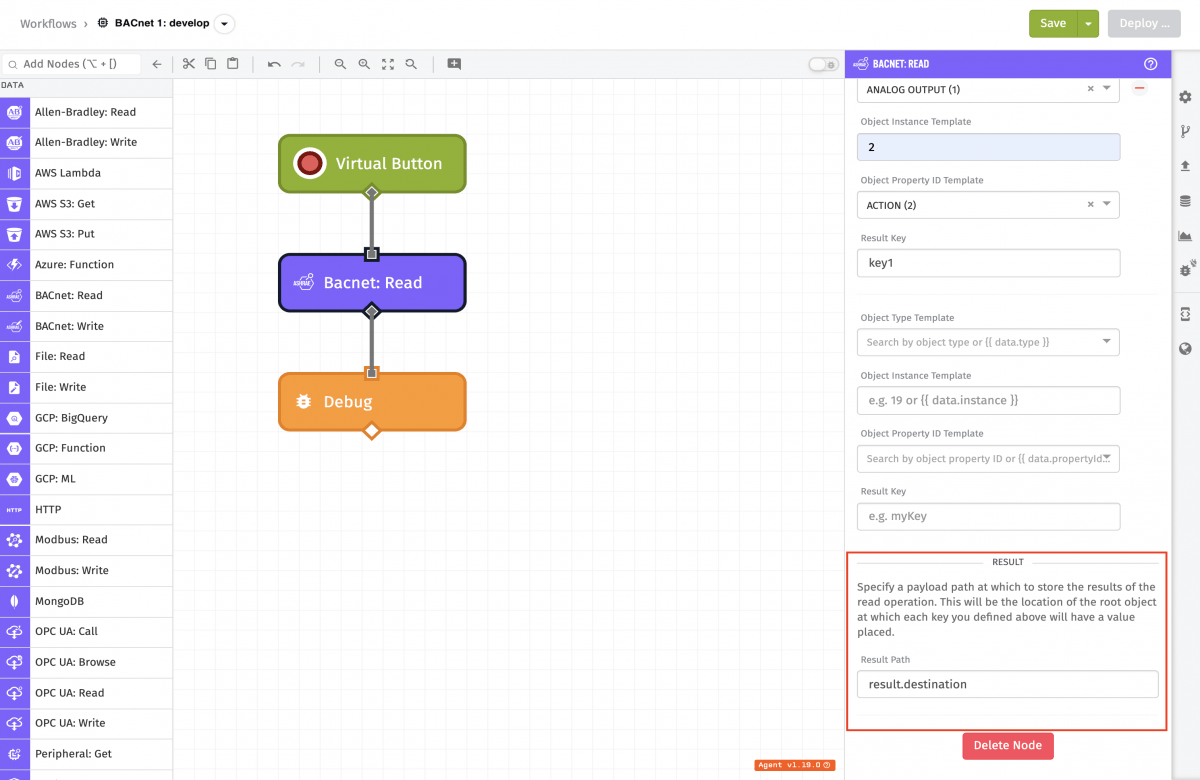
The results of each read instruction will be placed in an object at the Result Path (a payload path) at each instruction's Result Key. Each key should be uniquely named so the node does not overwrite another read result.
If the read fails, an error object is placed at the Result Path with type and message fields. Because of this, this node prevents Result Keys from resolving to errors.
Node Example
The following is an example of a successful read, where type is 0, instance is 0, propertyId is 85, result key is key1 and the Result Path is destination:
"destination": {
  "key1": [
    {
      "id": 85,
      "index": 4294967295,
      "value": [ { "value": 71.9000015258789, "type": 4 } ]
    }
  ]
}
Node Errors
When the BACnet read fails (for example, due to a connection timeout), the Result Path contains an error object:
"destination": {
  "error": {
    "type": "BACNET_READ_ERROR",
    "message": "ERR_TIMEOUT"
  }
}
Related Nodes
References
Was this page helpful?
Still looking for help? You can also search the Losant Forums or submit your question there.