Device Certificate: Register Node
The Device Certificate: Register Node allows a workflow to register a new device certificate inside the current application. This certificate can then be used to authenticate a Losant Device against the platform's MQTT broker.
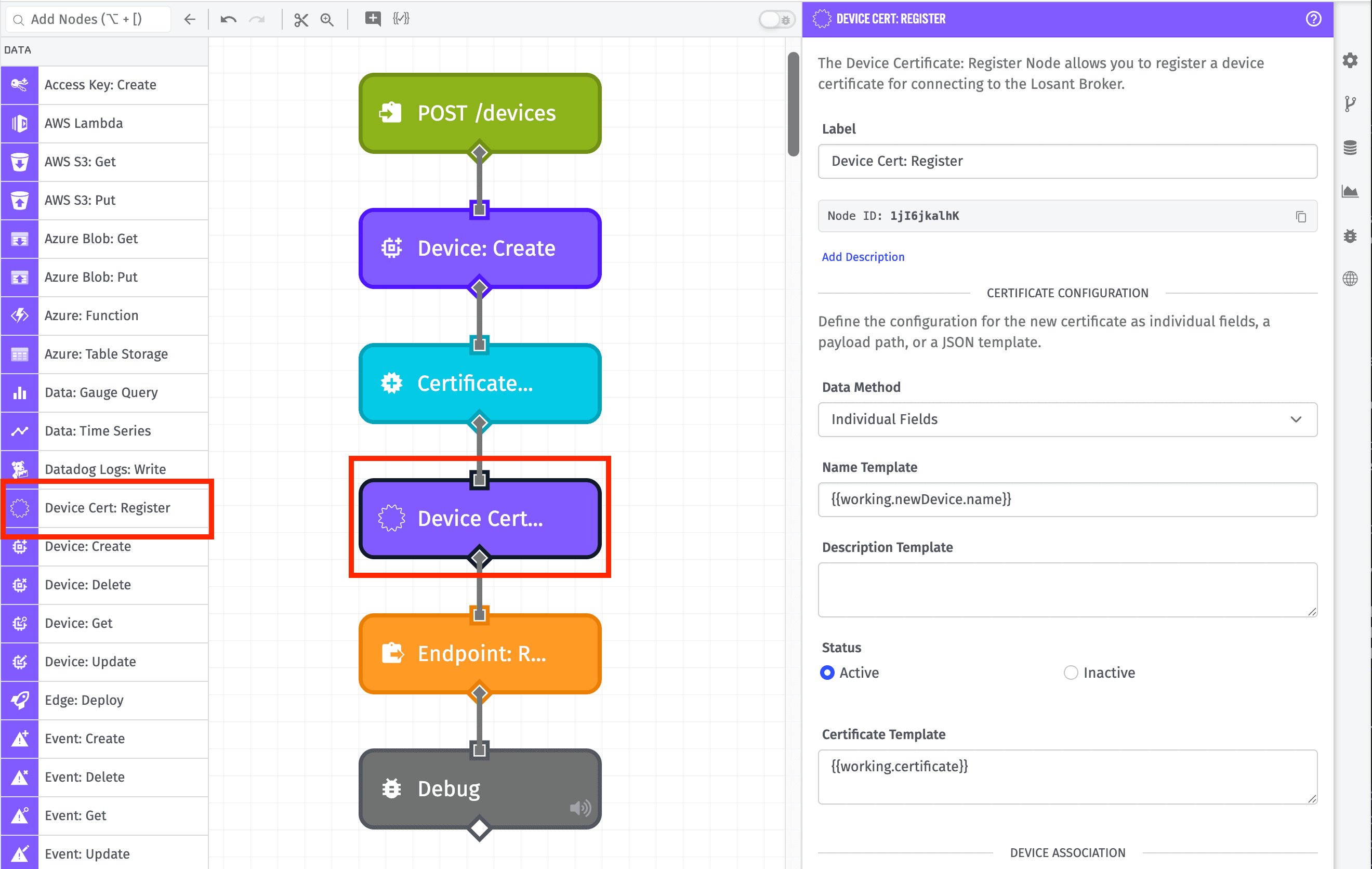
Node Properties
Start by choosing how you wish to configure your new device certificate. Choose one of the following options in the "Data Method" dropdown:
- Individual Fields: Define the configuration of the new device certificate using individual string templates per property.
- Payload Path: Provide a payload path pointing to an object containing the device certificate's full configuration. The object must validate against the new device certificate schema.
- JSON Template: Define a JSON template string that resolves to a JSON object containing the device certificate's full configuration. The object must validate against the new device certificate schema.
When choosing the "Individual Fields" option, there are a few fields that must be configured.
Certificate Configuration
You may optionally provide a Name Template and Description Template for the new certificate. Both fields support string templates for dynamic values. Neither field is required, and the values do not affect the certificate's functionality. If no name is provided, the certificate's name will be automatically set from the common name on the certificate itself (or the serial number if no common name is present).
You may also optionally set the certificate's Status to either active (default) or inactive. An inactive certificate will not be accepted for authentication against the MQTT broker.
The Certificate Template is required and must resolve to a valid PEM-encoded certificate that meets all device certificate requirements:
- Must be signed by a certificate authority configured in the application
- Must include the
ExtendedKeyUsage.clientAuthextension - Must not be a CA certificate
- Must not be expired
The field supports string templates. The Certificate: Create Node can be used to generate this certificate within the same workflow.
Device Association
Optionally, specify a Device to associate with the certificate. Associating a device allows MQTT clients using that device ID to authenticate against the broker using this certificate; without associating a device, the certificate may not be used to authenticate against the broker.
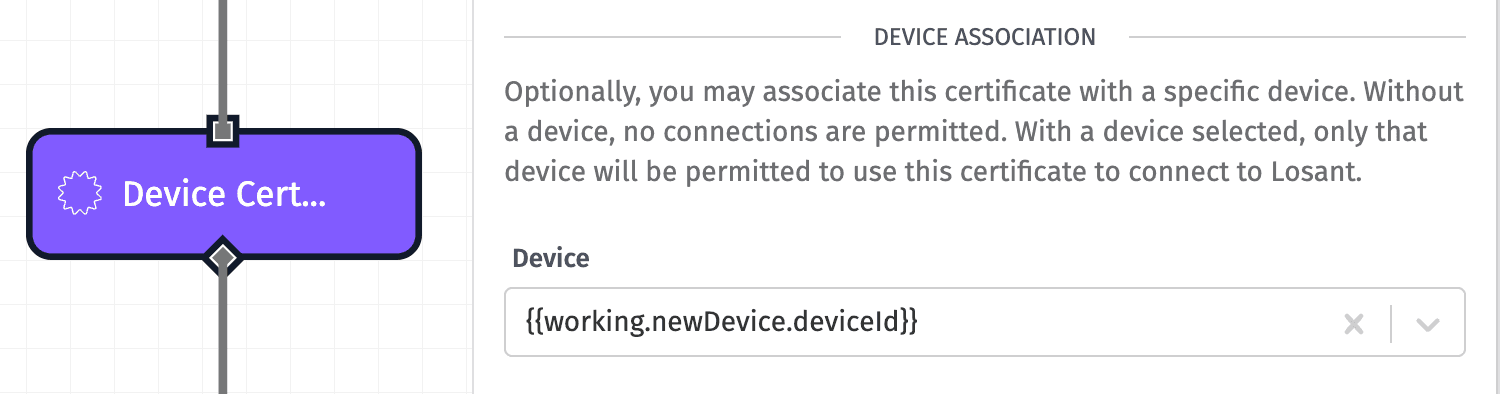
Note: Certificates are valid for at most a single device. If a device is not associated at the time of registration, it may be assigned one time after creation. Once a certificate is assigned to a device, it cannot be reassigned to a different device.
Connection Restrictions
You may also restrict the new certificate to only connect from specific IP addresses or CIDR blocks. Choose one of the following options for Allowed IP Addresses:
- Allow connections from all IP addresses: (default) If selected, connections using this certificate will be allowed from any IP address.
- Allow connections from only the following IP addresses ...: If selected, provide one or more IP addresses and/or CIDR blocks that are allowed to connect using this certificate. Connections using this certificate will be rejected from any IP address that does not match one of the provided rules.
- Allow connections from all except the following IP addresses ...: If selected, provide one or more IP addresses and/or CIDR blocks that are not allowed to connect using this certificate. Connections using this certificate will be allowed from any IP address that does not match one of the provided rules.
When selecting one of the restricted options, the IP / CIDR fields accept string templates.
Additional MQTT Topic Access
You may also grant publish/subscribe permissions to additional custom topics for devices connecting to the MQTT broker using the new certificate.
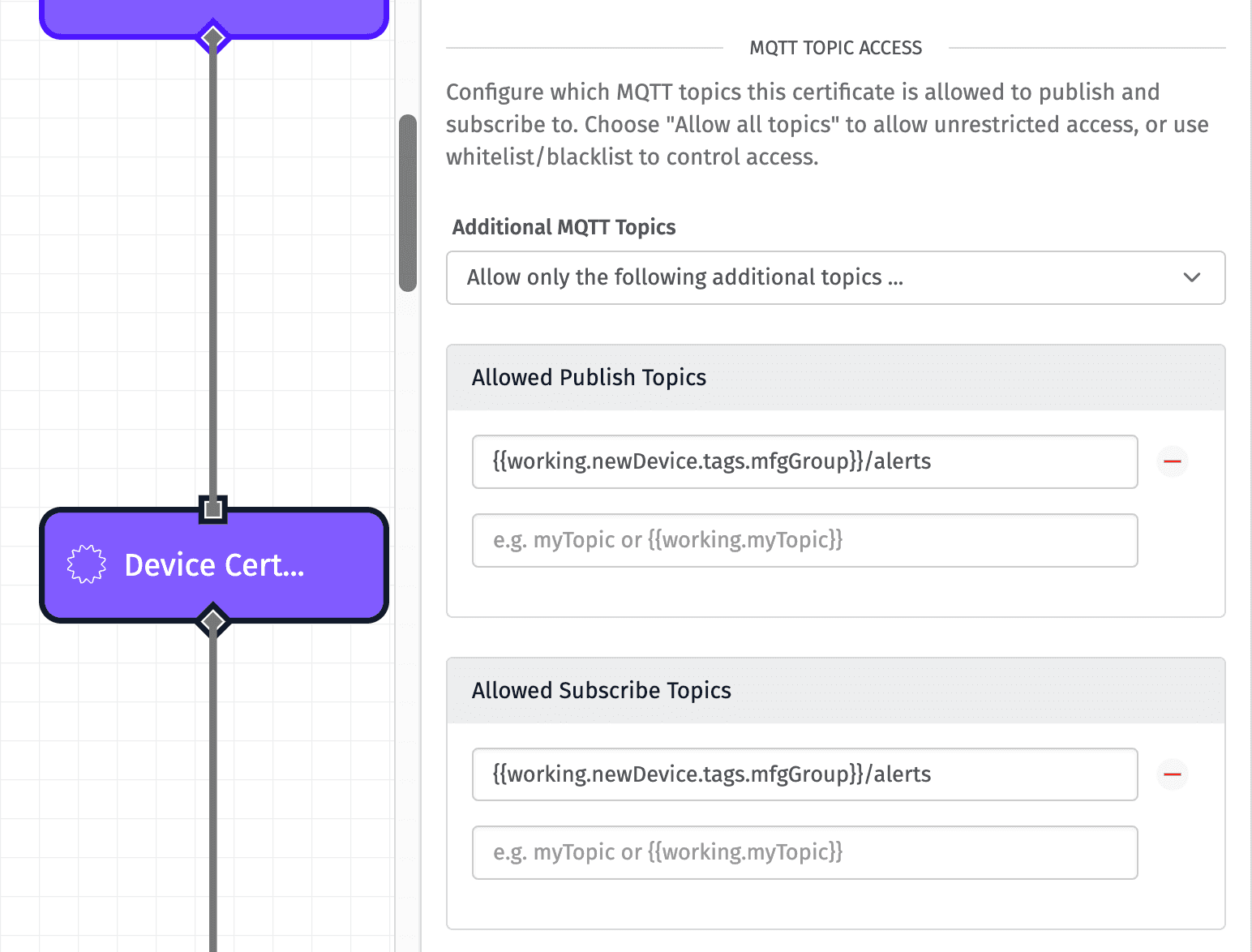
From the "Additional MQTT Topics" dropdown, select one of the following options:
- Allow all additional topics: Devices using this certificate may publish or subscribe to all custom topics within the application.
- Do not allow any additional topics: (default) Devices using this certificate may only publish or subscribe to their own topics.
- Allow only the following additional topics ...: When selecting this option, you must define at least one topic that devices using the certificate may publish or subscribe to. You may define multiple topics for each operation, and the topic definitions support string templates.
- Allow all except the following topics ...: Selecting this option is similar to "Allow only the following additional topics ...", except the listed topics are the only ones the certificate does not provide access to.
Result
Finally, define a path on your payload where the new device certificate should be placed. If registration of the certificate fails, the object placed at the specified payload path will instead be an object describing the error.
For example, when allowing Experience Users to dynamically register new devices, it is common practice to first create a device using the Device: Create Node, and immediately register a certificate associated with that new device. The Endpoint Reply Node responding to the request should include at least the new device's ID along with the new certificate's details.
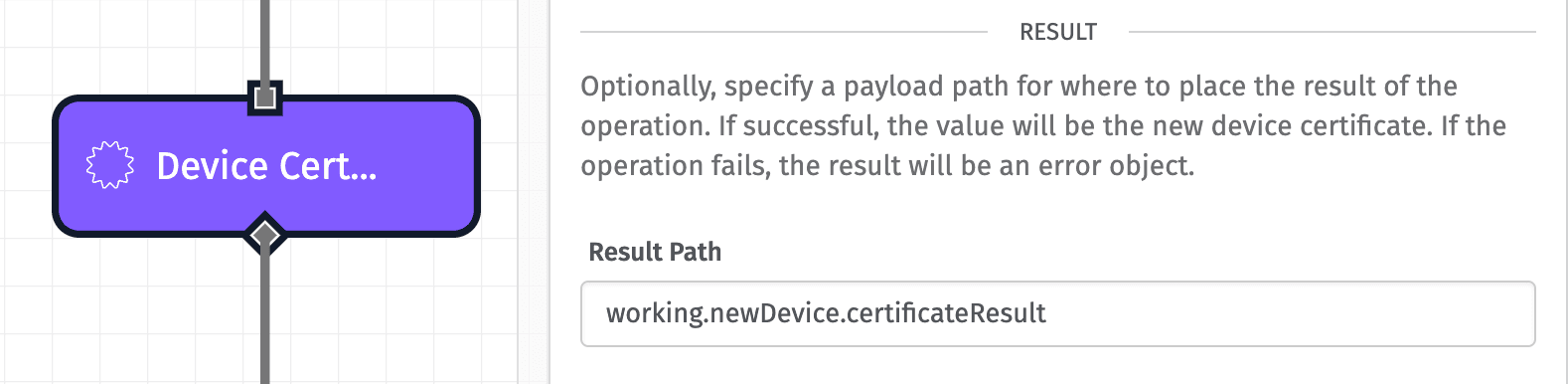
Node Example
Given the node configuration in the screenshots above, and an input device with an ID of "aaaabbbbccccddddeeeeffff" and an mfgGroup tag value of "ABC123", successful device certificate registration placed on the path working.newDevice.certificateResult will result in the following object placed at that path:
{
  "id": "605e39206a3df30006a8ac13",
  "applicationCertificateId": "605e39206a3df30006a8ac13",
  "applicationId": "5e6a7b69e5a5e100073a5cce",
  "creationDate": "2021-03-26T19:42:24.366Z",
  "lastUpdated": "2021-03-26T19:42:24.425Z",
  "createdById": "5f11cc7c4069c600079916d2",
  "createdByType": "flow",
  "lastUpdatedById": "5f11cc7c4069c600079916d2",
  "lastUpdatedByType": "flow",
  "status": "active",
  "name": "device-001",
  "description": "",
  "certificate": "-----BEGIN CERTIFICATE-----\n...\n-----END CERTIFICATE-----",
  "deviceId": "aaaabbbbccccddddeeeeffff",
  "deviceName": "My Device",
  "certificateInfo": {
    "serialNumber": "ad:0e:ff:63:27:83:e5:3e:6b:a9:fb:57:0d:37:fc:e9",
    "fingerprint": "FF:4A:88:5D:93:E7:FF:61:E4:72:94:EE:82:4B:56:B2:AB:71:38:06",
    "commonName": "device-001",
    "issuerName": "Example Issuer",
    "issuerSerialNumber": "ab:cd:ef:12:34:56:78:90",
    "notValidBefore": "2026-01-01T00:00:00.000Z",
    "notValidAfter": "2027-01-01T00:00:00.000Z"
  },
  "filterType": "whitelist",
  "pubTopics": ["ABC123/alerts"],
  "subTopics": ["ABC123/alerts"],
  "addressFilterType": "all",
  "addresses": []
}
Node Errors
If you provide an invalid certificate value - such as a payload path that resolves to a malformed PEM string - the Device Certificate: Register Node will output the following to your specified result path:
{
  "error": {
    "message": "Invalid certificate",
    "type": "Validation"
  }
}
Related Nodes
Was this page helpful?
Still looking for help? You can also search the Losant Forums or submit your question there.