GCP: Function Node
The GCP (Google Cloud Platform): Function Node allows a workflow to execute a Google Cloud Function.
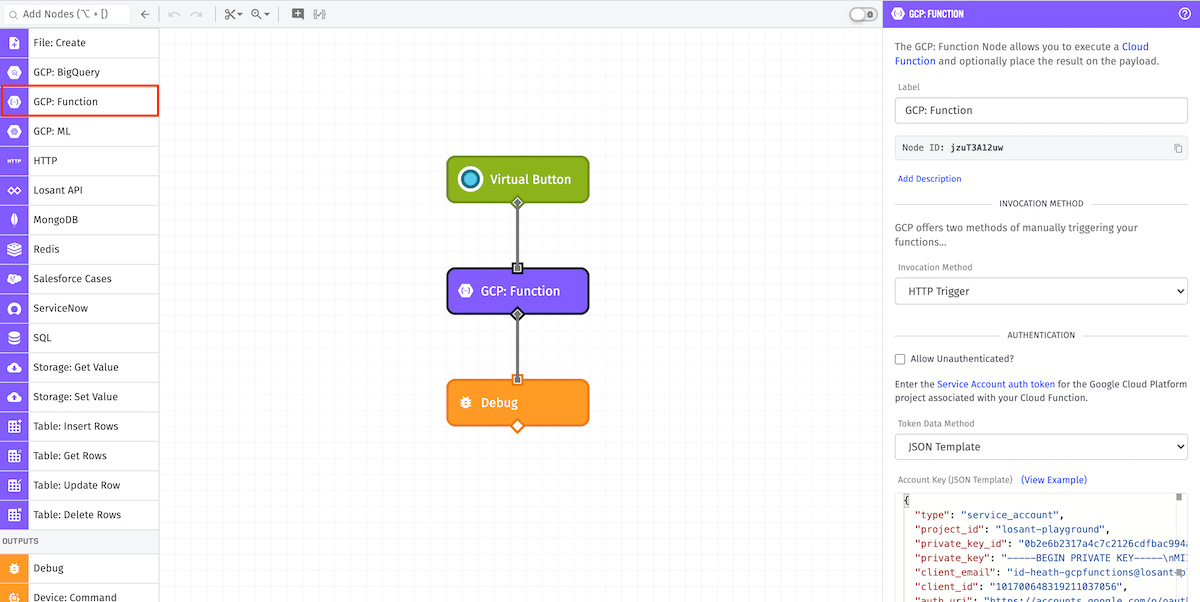
Node Properties
There are four main configuration sections for the GCP: Function Node...
Invocation Method
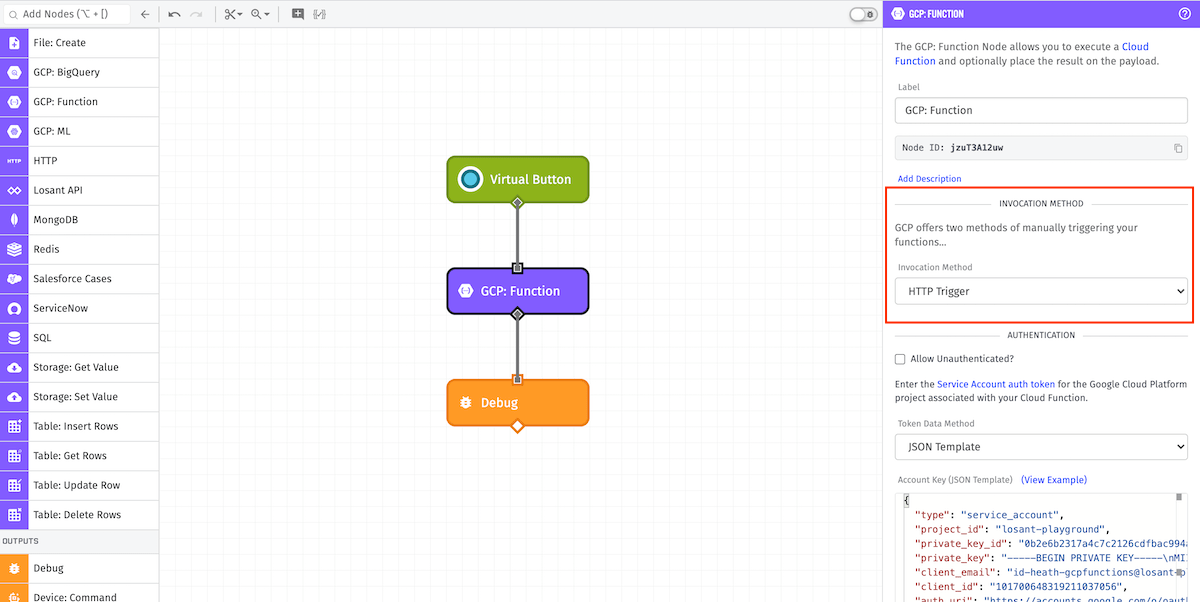
Note: For Edge Workflows, this section is only available in GEA version 1.22.0 or higher.
Google Cloud Functions may be triggered in one of two ways...
HTTP Trigger:
HTTP triggered functions allow un-throttled and optionally authenticated calls to their trigger URL.
API Trigger:
Directly calling Cloud Functions via the Google API requires authentication, but allows you to call event-triggered functions manually.
Authentication
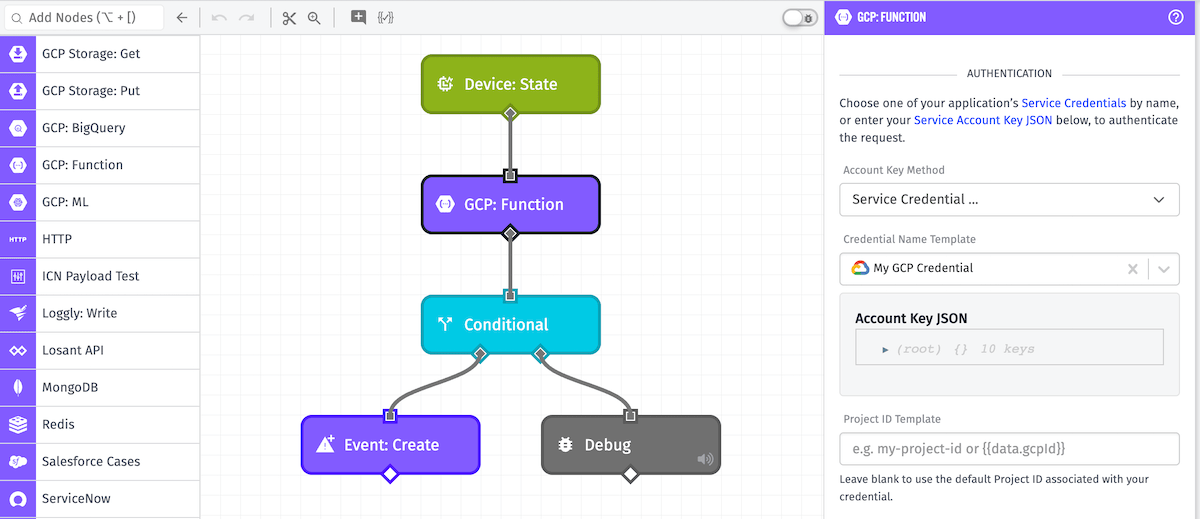
First, a Service Account auth token is required for the workflow to authenticate with Google Cloud Functions. You may supply this token one of three ways:
- Service Credential accepts an Application Credential for the token. It is important to note that this configuration option is not available in Edge Workflows.
- JSON Template accepts a JSON template for the token.
- Payload Path accepts a payload path for the token.
HTTP Triggered functions have the option of being triggered without authentication. If your function is configured to allow unauthenticated calls, then you may optionally provide a service account key.
Additional Authentication Configuration:
- Project ID Template: (Optional) Any project id or template entered into this field will override the
project_idproperty defined in the configured authentication. Note: For Edge Workflows, this field is only available in GEA version 1.42.0 or higher.
Input
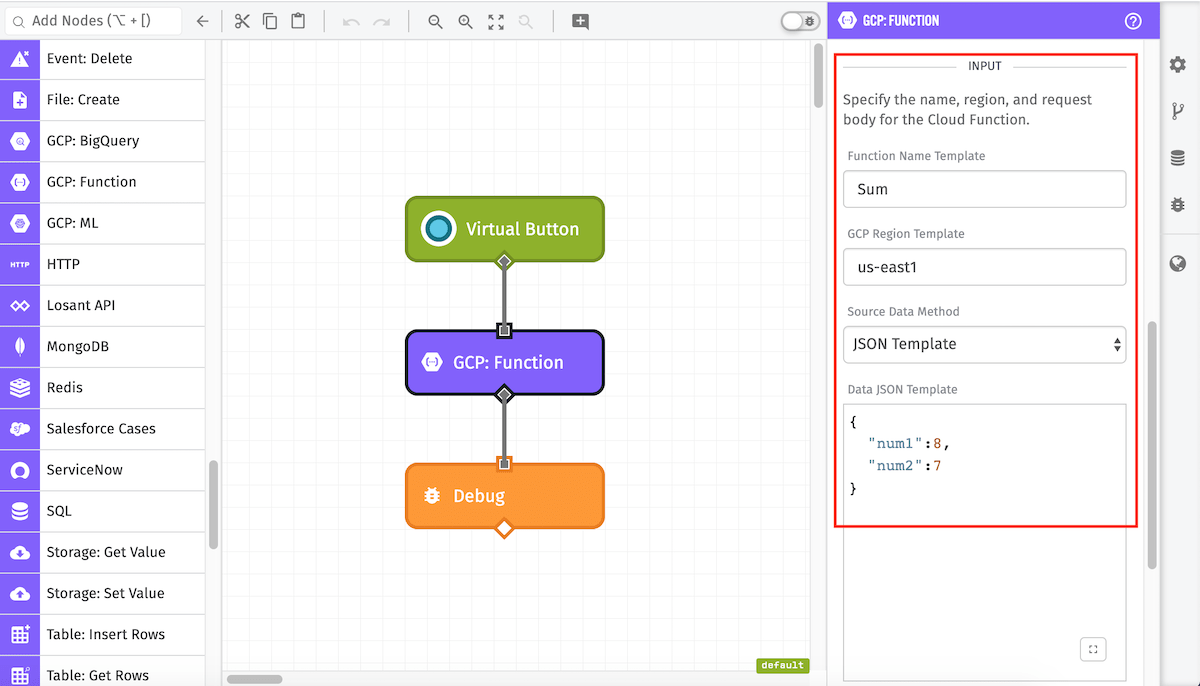
Next, specify the Cloud Function to call, as well as any data to send. All applicable fields are templatable.
API Triggered Configuration:
- Function Name Template: (Required) The name of the Cloud Function to be called.
- GCP Region Template: (Required) The location where the Cloud Function is hosted.
HTTP Triggered Configuration:
-
Trigger URL Template: (Required) The URL to your Cloud Function, which is provided by GCP when your function is deployed.
-
Source Data Method: The data sent to the Cloud Function can be the entire payload, the value at a payload path, or a JSON template.
- Workflow Payload: The entire current payload will be sent to the Cloud Function.
- Payload Path: The value at the given payload path will be sent to the Cloud Function.
- JSON Template: The value is expected to be a JSON template which will be the object sent to the Cloud Function.
Result Path
Finally, you may optionally store the result of the Cloud Function on the payload. More information about returning data from Google Cloud Functions can be found in their documentation.
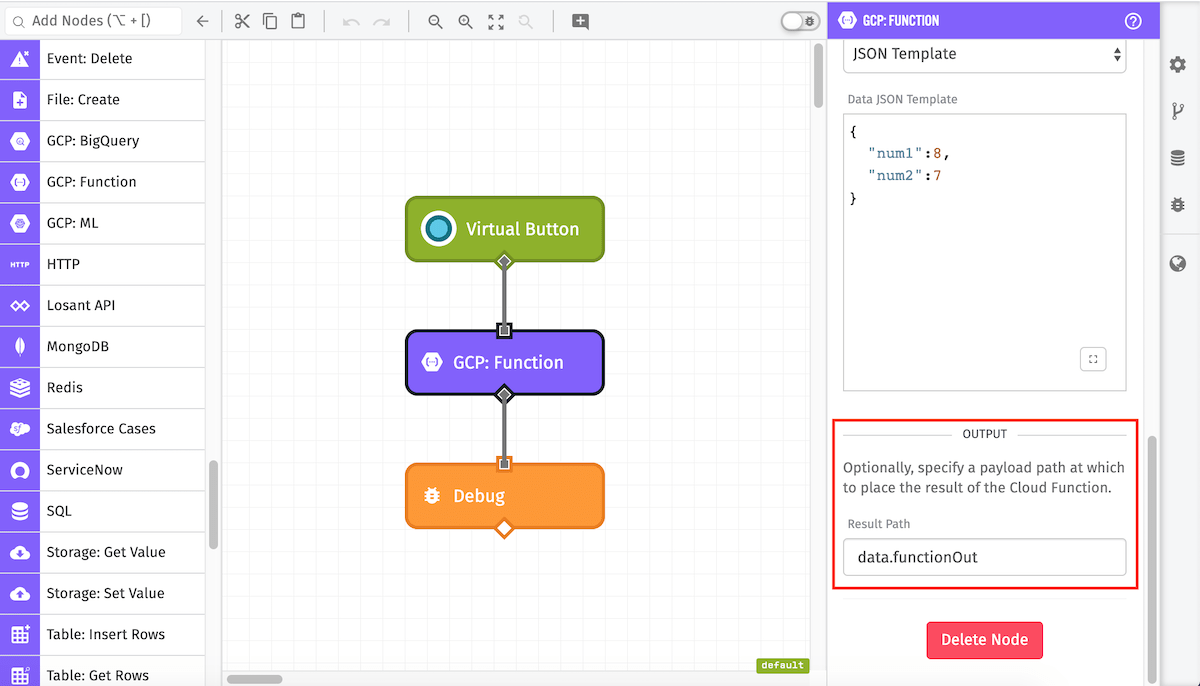
Node Example
If the result path is configured, when a workflow executes a Cloud Function its result will be placed on the payload. For example:
Executing the following GCP Function...
exports.sum = (req, res) => {
  const { num1, num2 } = req.body;
  const sum = num1+num2
  res.status(200).send(sum.toString());
};
results in the following payload:
{
  "data": {
    "functionOut": {
      "result": "15",
      "executionId": "lhf3ghvp82u0"
    }
  }
}
Node Errors
Errors resulting from the configuration of the GCP: Function Node itself will error the workflow like so:
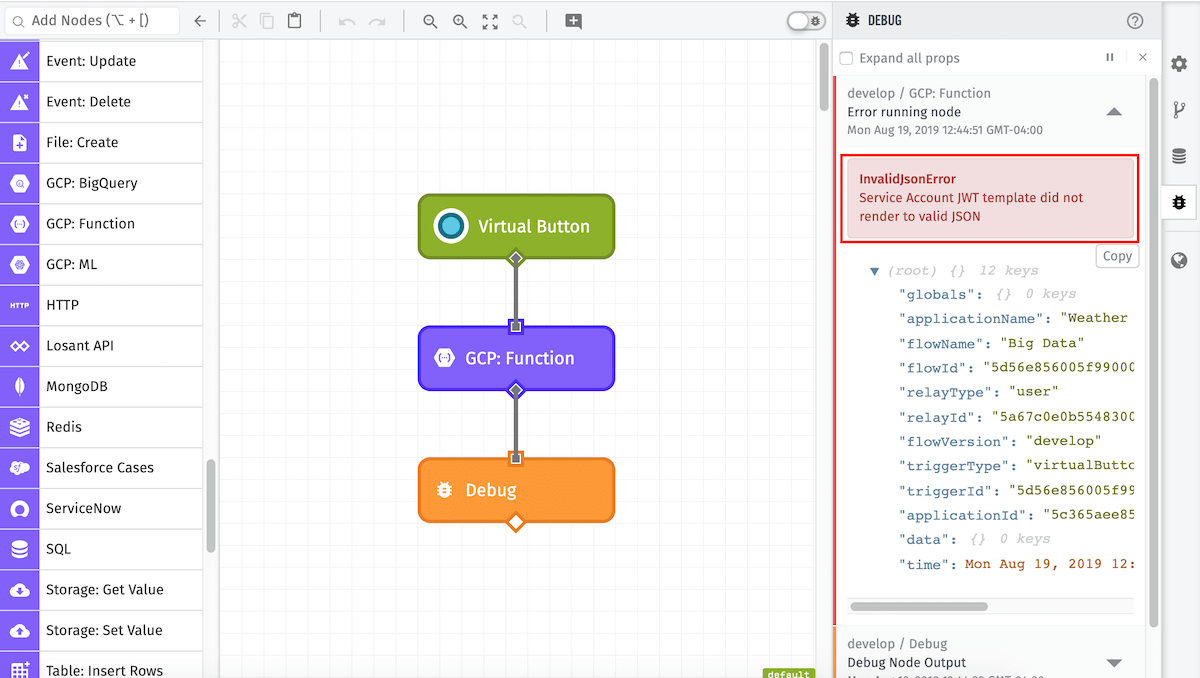
If an error is thrown from the Cloud Function, it will appear on the payload. Here's an example of a Cloud Function that tried to parse invalid JSON:
{
  ...
  "data": {
    "functionOut": {
      "error": "Error: function crashed. Details:\nUnexpected token o in JSON at position 1"
    }
  }
  ...
}
Related Nodes
Was this page helpful?
Still looking for help? You can also search the Losant Forums or submit your question there.