Losant API Node
The Losant API Node allows a workflow to make requests (allowing both querying and modification) against the Losant API easily for any resource under a Losant application.
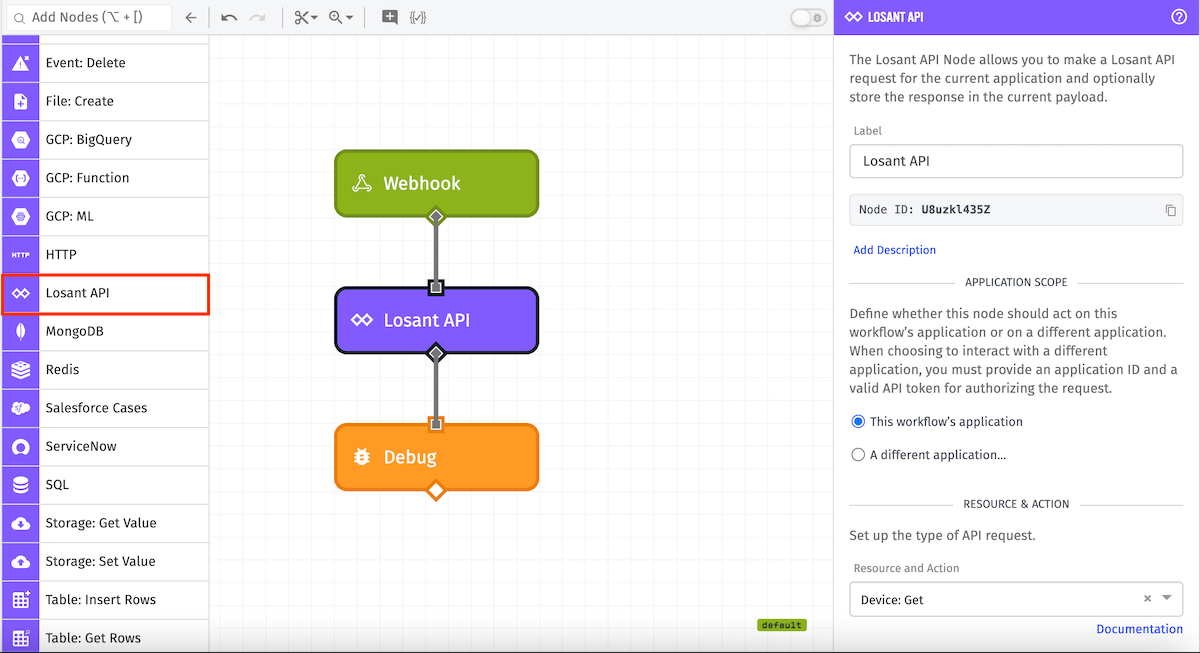
Node Properties
There are four configuration sections for the Losant API Node: selecting the application, choosing the request to make, configuring the parameters for that request, and determining where to store the result.
Application Scope
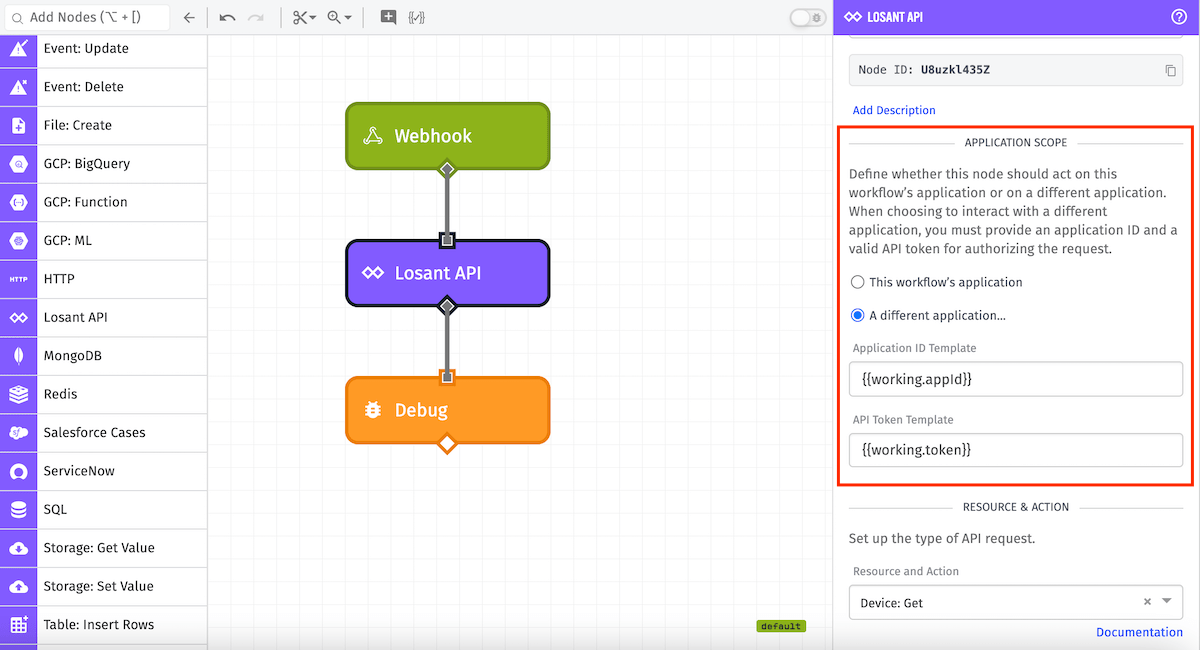
By default the actions performed by this node will take place on the current application. Optionally, you may select A different application... to perform cross-application actions. This will require an Application ID Template and an API Token Template (see Application Tokens). Both fields are templatable.
Note: For Edge Workflows, this section is not available. Edge workflows always authenticate as the edge device itself and cannot act on behalf of a different application.
Resource and Action
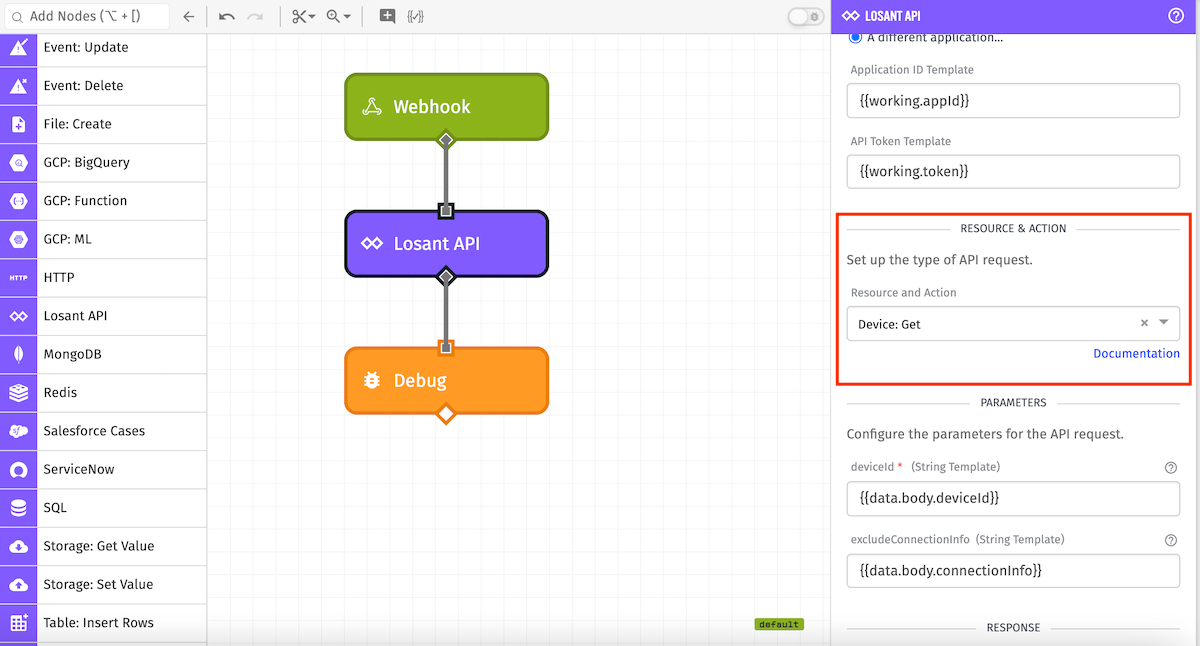
Once the application is chosen you must select the request to make—specifically the resource and action. Any resource under the current application or under the scope of your Application Token is available. The dropdown has the list of all resources and their possible actions, as well as short descriptions for each one. In the above case, Device: Get is selected, which means the Get action on the Device resource (i.e. this returns the information about a specific device).
Parameters
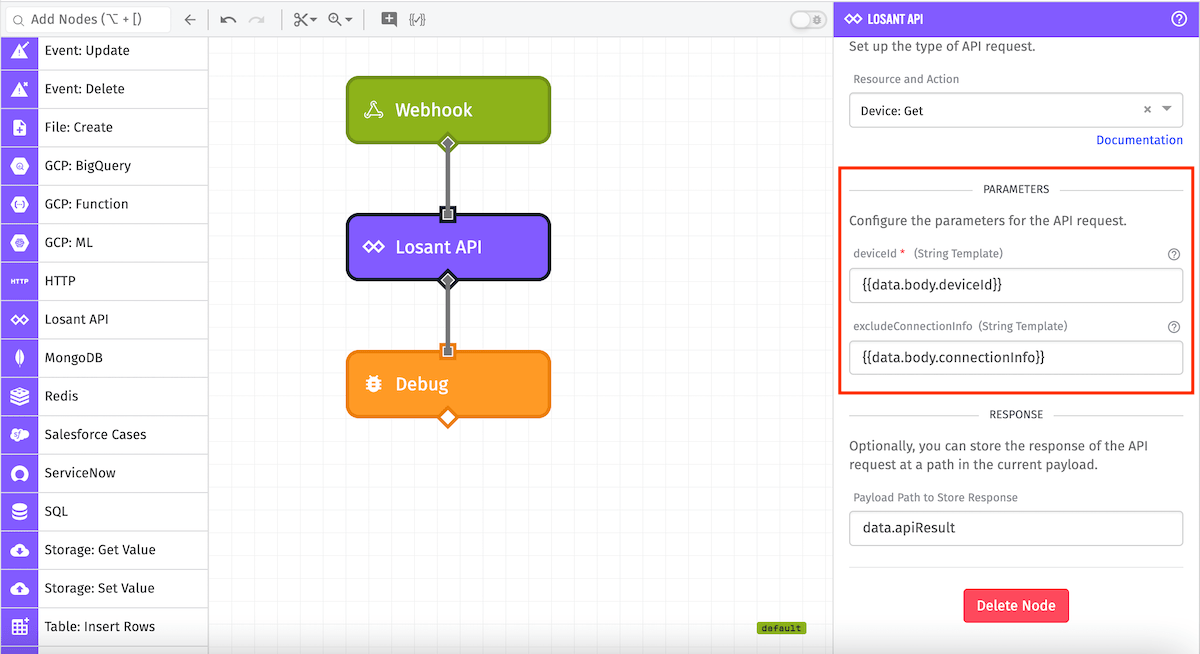
Next up is configuring the parameters for the selected resource and action. There are a few requests that have no parameters, and some others that have no required parameters, but most have at least one required parameter. In the above example, the request has one required parameter - the ID of the device that the request should get. There are two types of parameter fields: string templates like the device ID example above, and more complex parameters that are JSON objects. For parameters that are JSON objects, you can either create a JSON template or specify a payload path to pull the desired object off the current payload.
Response
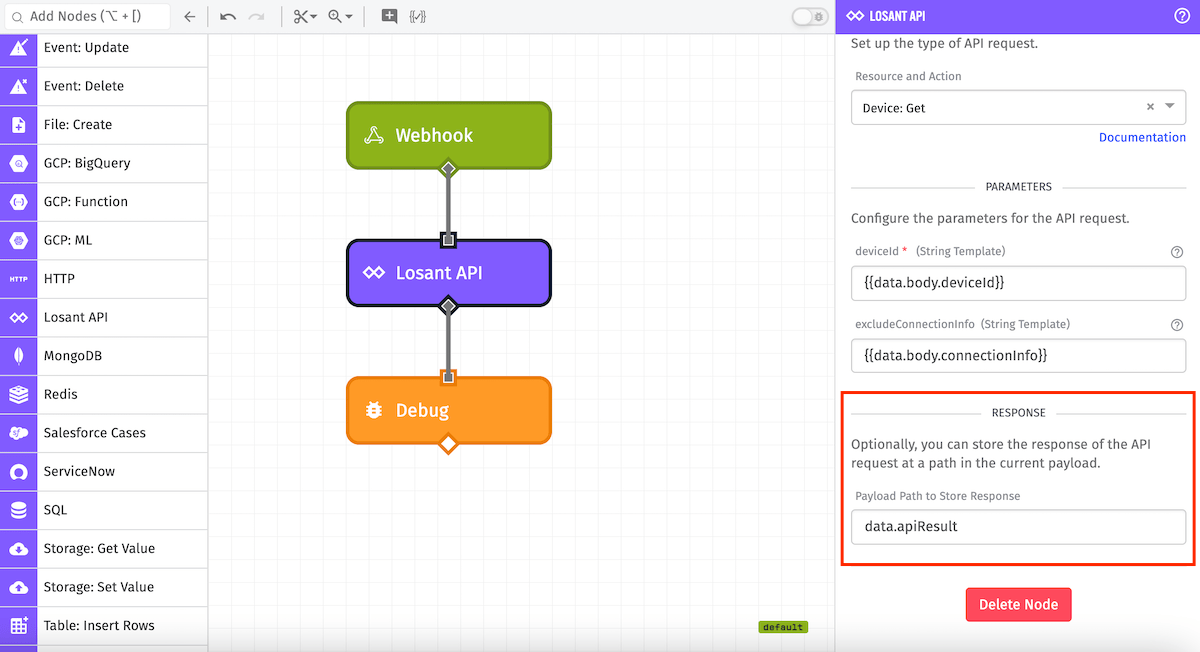
Finally, we can configure a place to put the result of the API request. This is optional, but most of the time you will probably want the result. In the above example, the result will be stored at the payload path data.apiResult. There are two kinds of results that could be returned - a successful response (with a root key of result), or an error response (with a root key of error) if there was something wrong with the request.
After a successful response for the above request, the payload might look like the following:
{
  "time": Fri Feb 19 2016 17:26:00 GMT-0500 (EST),
  "data": {
    ...
    "apiResult": {
      "result": {
        "name": "Widget Alpha",
        "description": "Device For Bob",
        "tags": [ ],
        "attributes": [
          { "name": "button", "dataType": "boolean" },
          { "name": "tempF", "dataType": "number" },
        ],
        "deviceClass": "standalone",
        "applicationId": "569ff47597b69c01001e230f",
        "creationDate": "2016-03-09T17:04:02.451Z",
        "lastUpdated": "2016-03-10T21:51:06.223Z",
        "_etag": "\"271-VfsBPHq+u0aBucK+bRNgw\"",
        "deviceId": "56e05782b3867f0100814dad",
        "connectionInfo": {
          "connected": 0,
          "time": "2016-08-26T17:41:06.686Z"
        },
        "id": "56e05782b3867f0100814dad",
        "_type": "device"
      }
    }
  },
  ...
}
Error Responses
When the Losant API returns an error response (HTTP 4xx or 5xx), the result is still placed at the configured response path under an error key instead of result. The workflow continues normally:
{
  "time": Fri Feb 19 2016 17:26:00 GMT-0500 (EST),
  "data": {
    ...
    "apiResult": {
      "error": {
        "type": "NotFound",
        "statusCode": 404,
        "message": "Device not found"
      }
    }
  },
  ...
}
Note: If a configuration problem is detected — such as an invalid resource or action, an unresolvable Application ID or API Token, or a network timeout — the workflow will halt and error at this node rather than store a result.
Edge Workflow Usage
The Losant API Node is available in Gateway Edge Agent v1.23.0 or higher. The API endpoints available on the edge are a much smaller set compared to the API Node in application or experience workflows; the API Node in edge workflows is restricted to only API endpoints a device is allowed to access. For example, an application workflow is allowed to call the Application: Get endpoint, but an edge workflow would not be able to.
Behind the scenes, the API node for the edge authenticates as the edge device itself against the Losant API, and so can only perform actions that are allowed for that device. For a general overview of how device API authentication works, you can read more here.
Was this page helpful?
Still looking for help? You can also search the Losant Forums or submit your question there.