JWT: Decode Node
The JWT: Decode Node allows a workflow to decode a JSON Web Token on the payload.
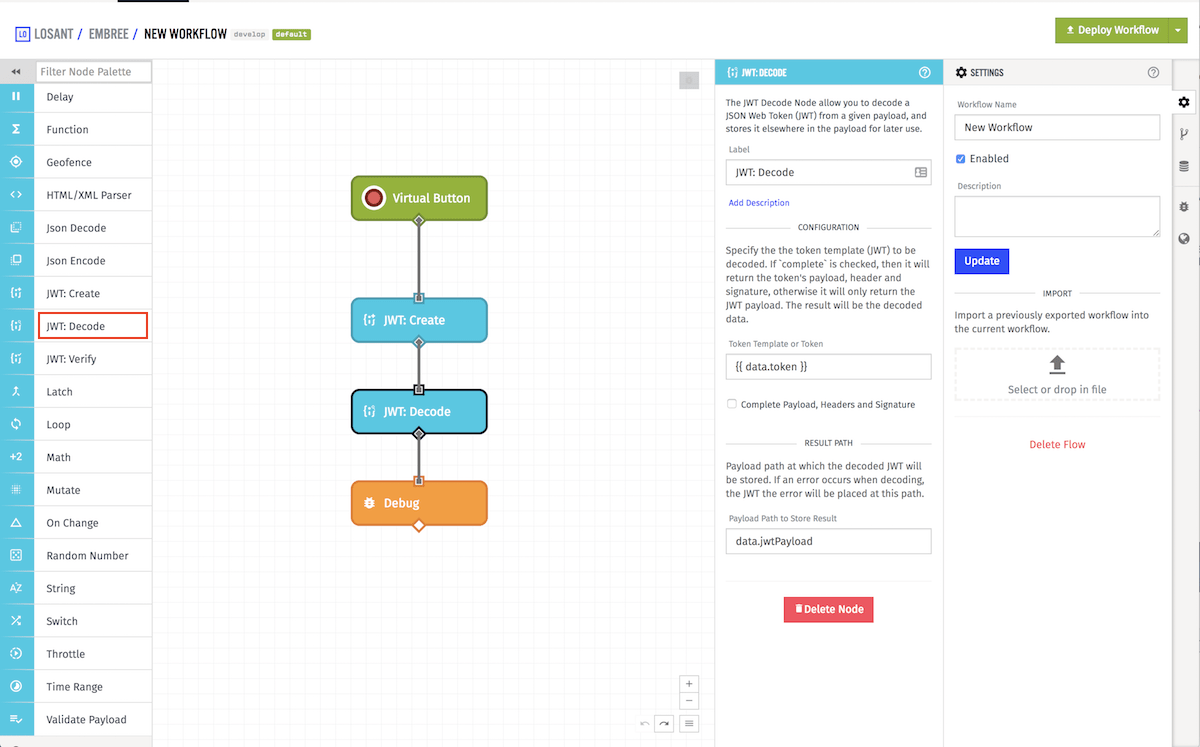
Node Properties
Configuration for the JWT: Decode Node is split into the following sections.
Configuration
The node requires a Token Template (a string template resolving to the JWT to decode) and a Decoded Result Path for where to place the decoded result. An optional Complete Payload, Headers and Signature checkbox allows you to include the token's header and signature in the result; when unchecked, only the payload is returned.
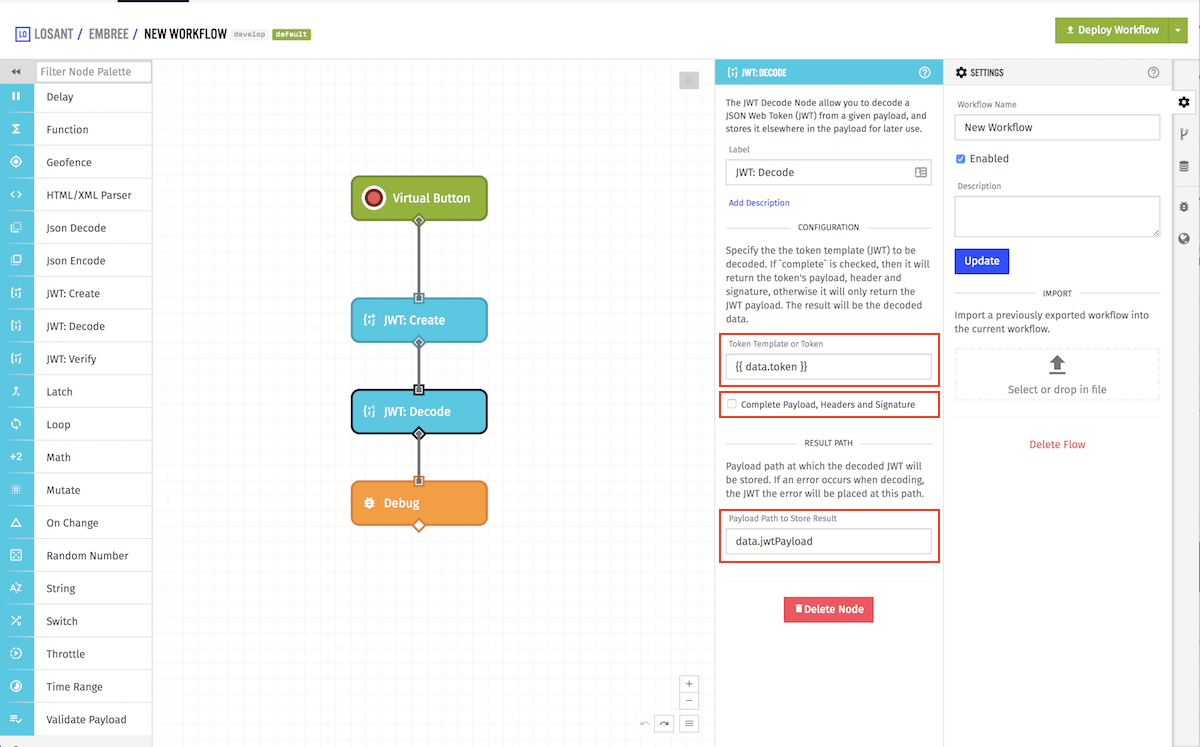
Example Result Complete Payload, Headers and Signature turned off:
"jwtPayload": {
  "iss": "issuer.com",
  "scope": "https://www.googleapis.com/auth/cloud-platform",
  "aud": "https://www.googleapis.com/oauth2/v4/token",
  "iat": 1509374356,
  "exp": 1509460756
}
Example Result Complete Payload, Headers and Signature turned on:
"jwtPayload": {
  "header": {
    "alg": "RS256",
    "typ": "JWT"
  },
  "payload": {
    "iss": "issuer.com",
    "scope": "https://www.googleapis.com/auth/cloud-platform",
    "aud": "https://www.googleapis.com/oauth2/v4/token",
    "iat": 1509374356,
    "exp": 1509460756
  },
  "signature": "aSinGatuR_e"
}
Decoded Result Path
Enter a Decoded Result Path, which is a payload path where the decoded JWT will be stored. If the JWT decodes successfully, the result will contain the payload (and header/signature if Complete Payload, Headers and Signature is enabled). If decoding fails, the value null will be placed at this path.
Was this page helpful?
Still looking for help? You can also search the Losant Forums or submit your question there.