HTTP Response Node
The HTTP Response Node allows an edge workflow triggered by an HTTP Request trigger to reply back to the triggering request.
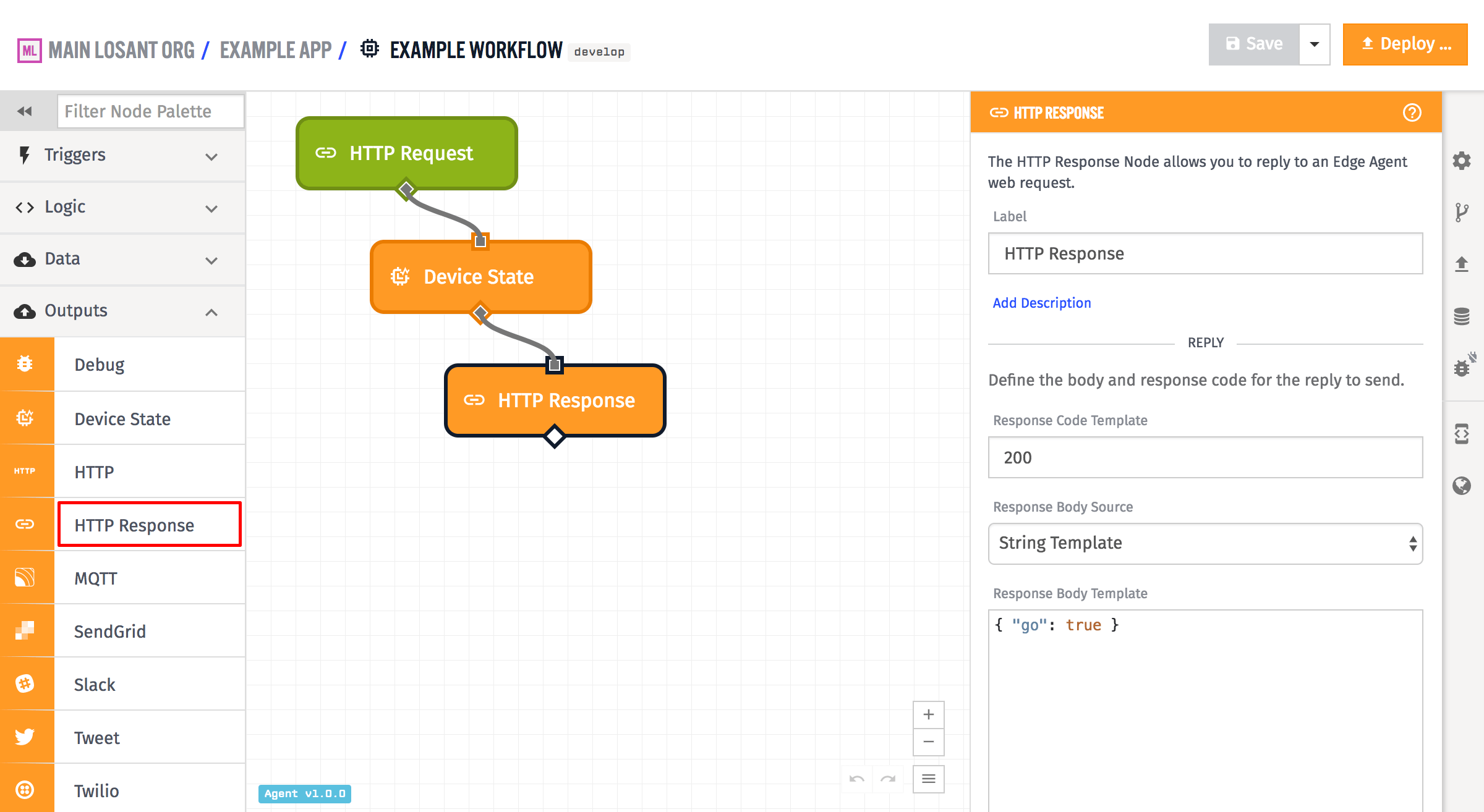
Configuration
All the standard components of an HTTP response are configurable in the HTTP Response Node - the response code, the body, and the headers. The node also has some helpers for setting and removing cookies, so that you do not have to configure the cookie header manually.
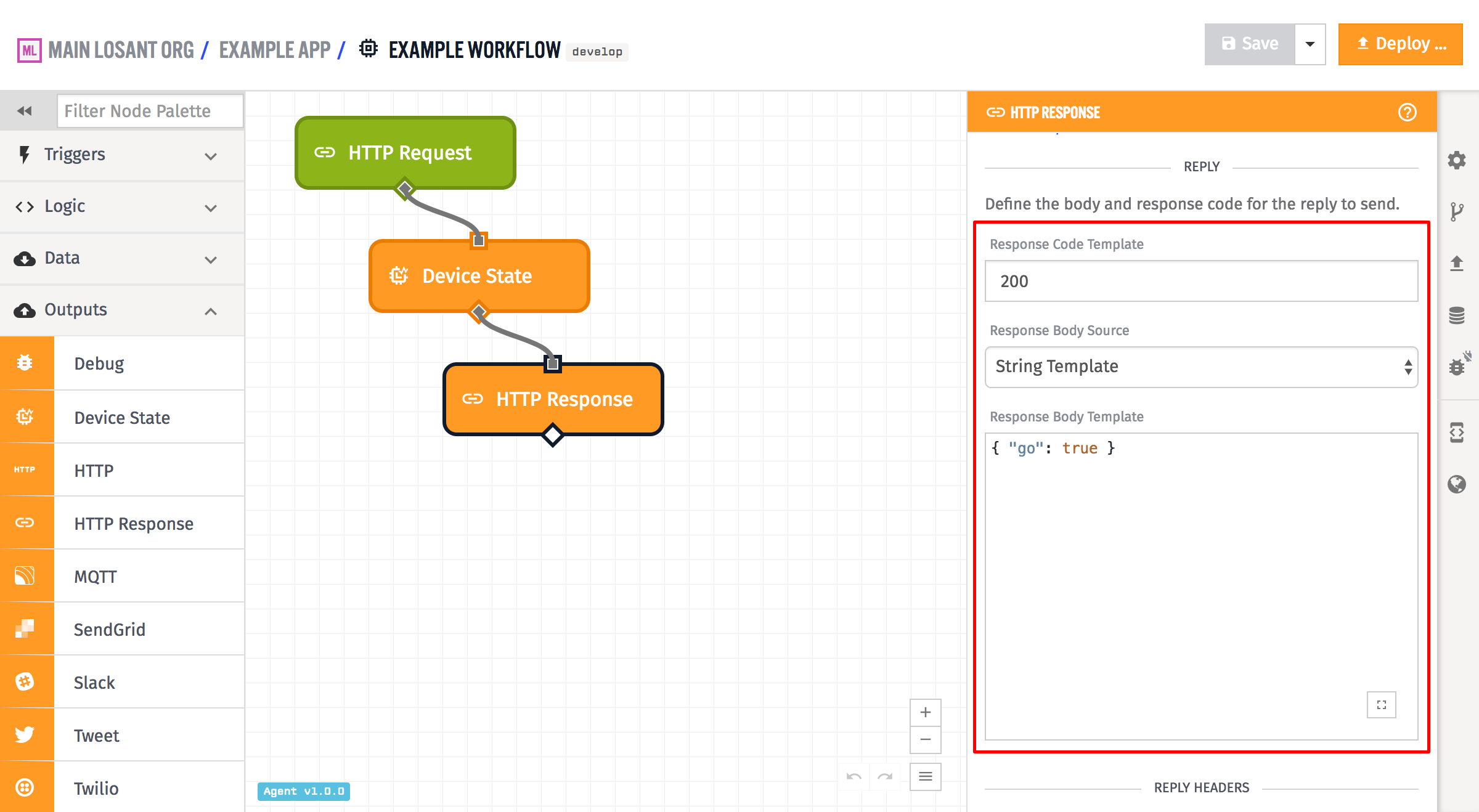
In the above example, the Response Code Template is set to 200, although that field is templatable and so can be configured from the current payload. It is expected to resolve to a valid response code number, and if it does not, the reply will default to a response code of 200.
The body of the reply can be configured using the Response Body Source selector as either a string template, a payload path, or the entire payload. In the above example, it is a string template that resolves to a string of JSON. If Payload Path is chosen and the payload path points to an object, that object is stringified as JSON for use as the body. If Full Payload is chosen, the payload is stringified as JSON and is used as the body. The body is allowed to be empty, if no body is desired on the reply.
Headers
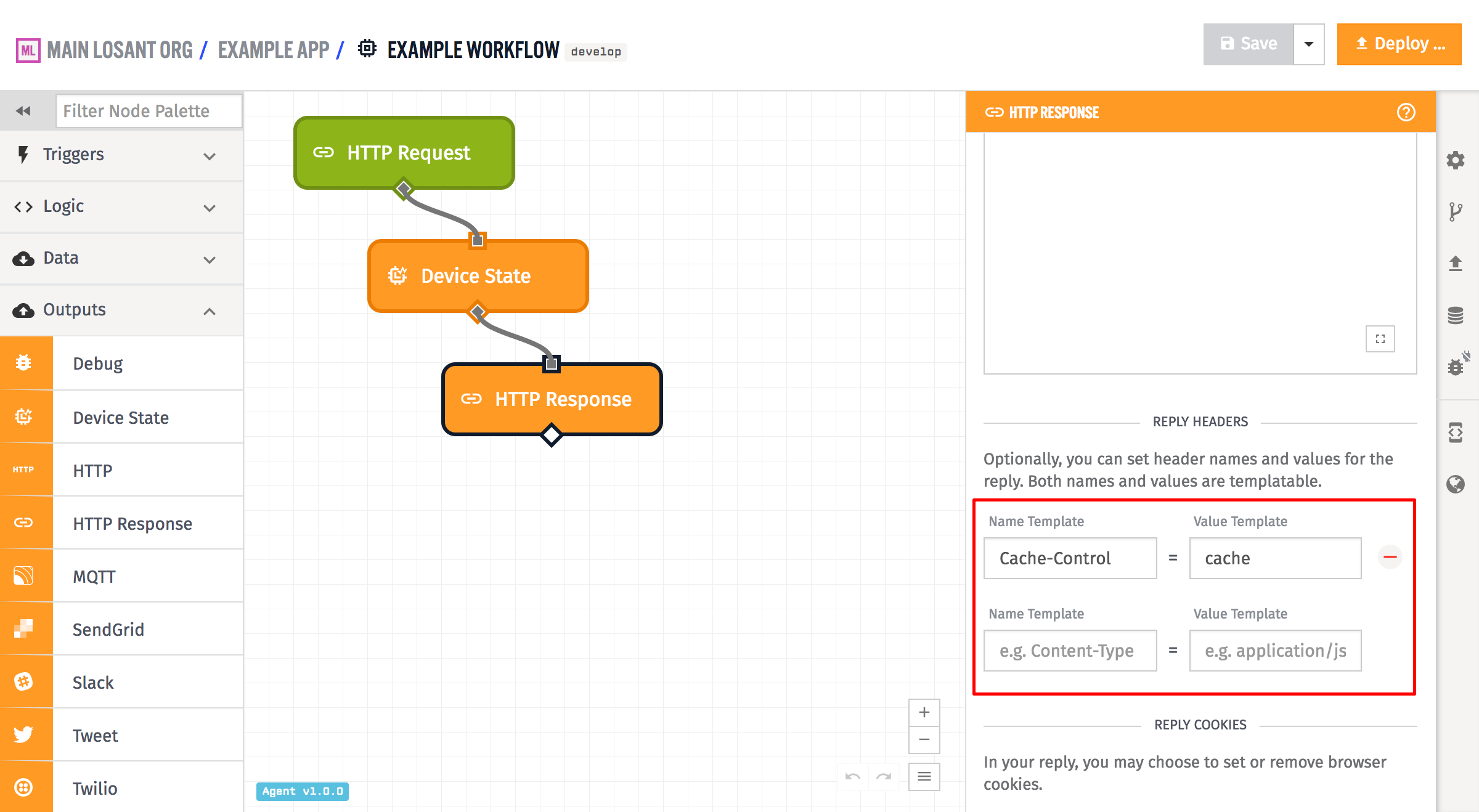
Arbitrary headers can also be set on the reply. Both the Name Template and Value Template fields are templatable, so they are configurable based on the payload. In the example above, only one header field is set - Cache-Control is set to cache.
Losant does automatically add certain other headers to the reply, if they are not set explicitly in the header configuration for the reply:
- Cache-Control: This header is added by default to the reply with the value
no-cache, no-store, must-revalidate. - Content-Security-Policy: This header is added by default to the reply with the value
default-src 'none'. - Content-Type: This header is added by default to the reply with the value
application/json. - Pragma: This header is added by default to the reply with the value
no-cache. - X-Content-Type-Options: This header is added by default to the reply with the value
nosniff. - X-XSS-Protection: This header is added by default to the reply with the value
1; mode=block.
CORS related headers will also be added - the headers Access-Control-Allow-Origin and Access-Control-Expose-Headers are added by default to all replies. In addition, if the request was an OPTIONS request, Losant will add the headers Access-Control-Allow-Methods, Access-Control-Allow-Headers, and Access-Control-Max-Age to the reply. If any of the above headers is explicitly set in the header configuration of the HTTP Response Node, Losant will use that and not override it.
Cookies
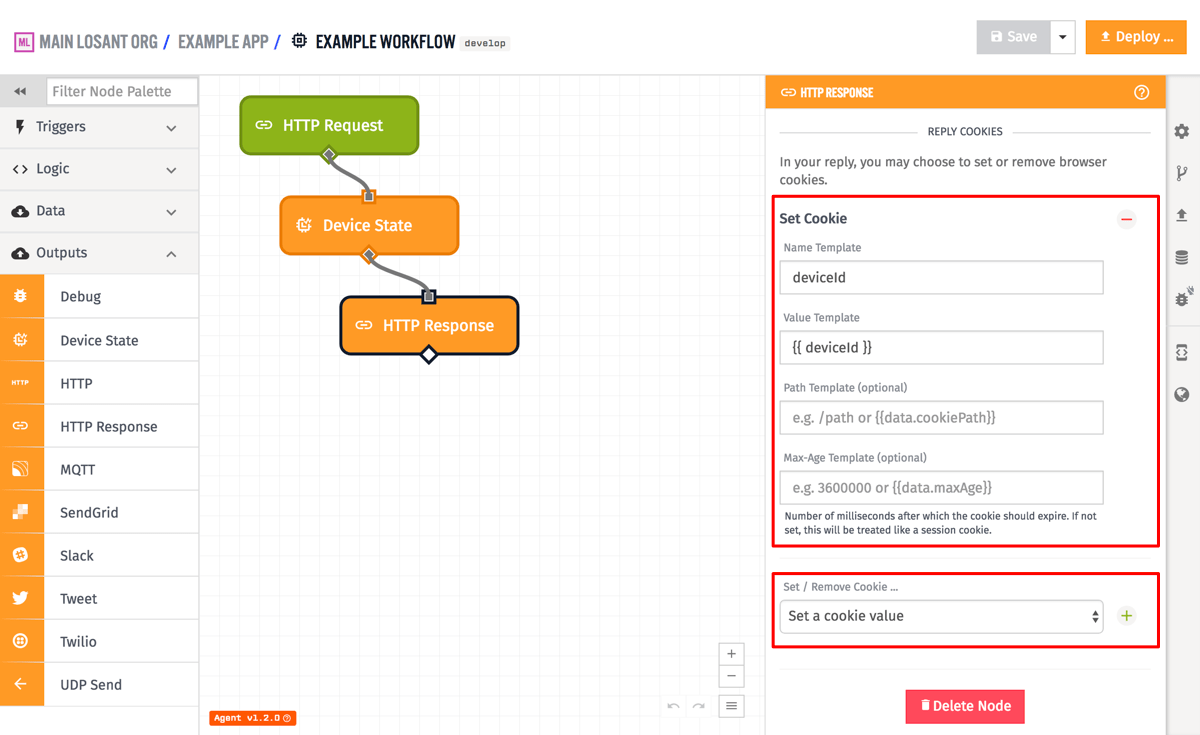
Cookies can either be removed or set on the reply. In the case of removal, you must provide the Name Template and can optionally specify a Path Template. When setting a cookie, both a Name Template and Value Template are required, and you can optionally provide a Max-Age Template (the amount of time until the cookie expires in milliseconds) as well as an optional Path Template. If you do not provide a Max-Age, the cookie will be treated as a "session cookie", which means it will last until the user's browser is closed. In GEA version 1.2.0 or higher, you can also provide an optional path for the cookie. All four of these fields are templatable, so they can use values off of the current workflow payload.
Was this page helpful?
Still looking for help? You can also search the Losant Forums or submit your question there.