Webhook: Reply Node
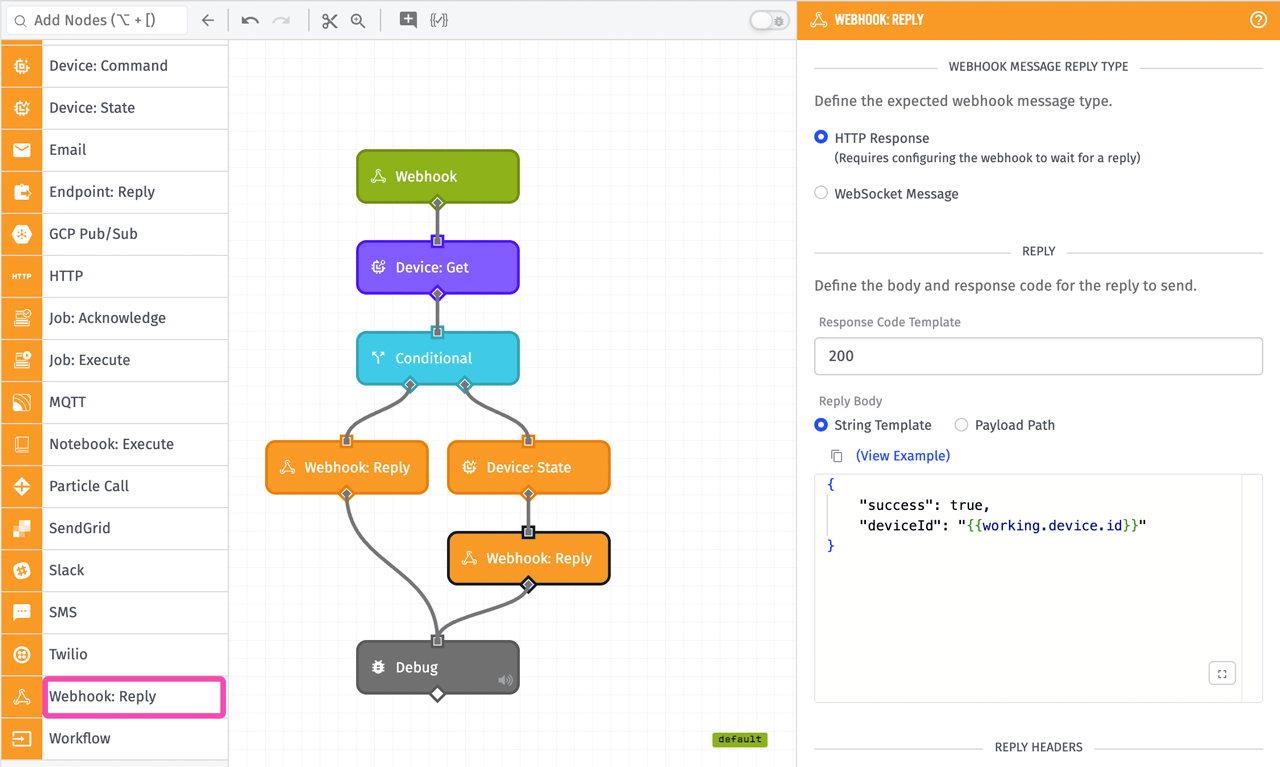
The Webhook: Reply Node allows a workflow to send a custom reply to an HTTP request or send a message to a connected WebSocket client. For HTTP replies, the webhook must be configured to wait for a reply.
Configuration
Under the Webhook Message Reply Type section, select whether this node replies with an HTTP Response (the default) or a WebSocket Message.
For HTTP webhooks, all the standard components of an HTTP response are configurable in the Webhook: Reply Node — the response code (Response Code Template), the body (Reply Body), and the headers (Reply Headers). For WebSocket webhooks, the available configuration fields are message encoding (Message Encoding, which defaults to UTF-8 and supports ASCII, UTF-8, UTF-16LE, Base64, Binary, and Hex) and the message to send (Reply Message). When using a WebSocket webhook, you must select the WebSocket Message radio button.
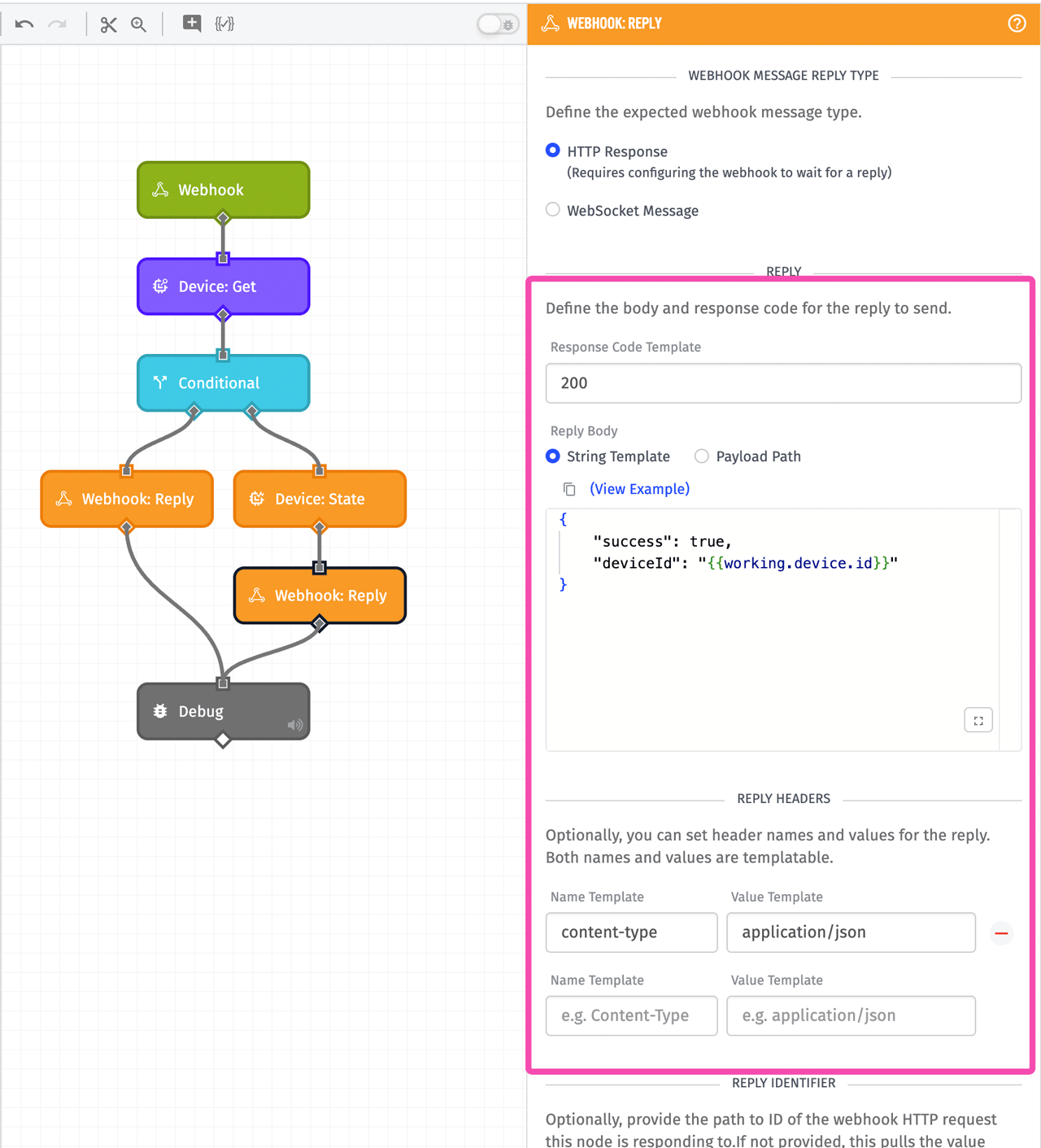
In the above example, the Response Code Template is set to 200, although that field is templatable and so can be configured from the current payload. It is expected to resolve to a valid response code number, and if it does not, the reply will default to a response code of 200.
The body of an HTTP reply (Reply Body) or a WebSocket message (Reply Message) can be set either as a String Template or as a Payload Path. In the above example, it is a string template that resolves to a string of JSON. If Payload Path is chosen and the payload path points to an object, that object is stringified as JSON for use as the body. For HTTP replies, the body is allowed to be empty, if no body is desired on the reply. WebSocket messages must contain a value.
If you attempt to send a WebSocket message as a reply to an HTTP webhook, the workflow will halt and error at this node with the following message:
Cannot write a WebSocket message to an HTTP webhook.
Conversely, attempting to send an HTTP response to a WebSocket webhook will halt and error with:
Cannot reply with an HTTP request to a WebSocket webhook.
If you reference a payload path that does not exist as the WebSocket message or HTTP reply, the platform will send an empty string.
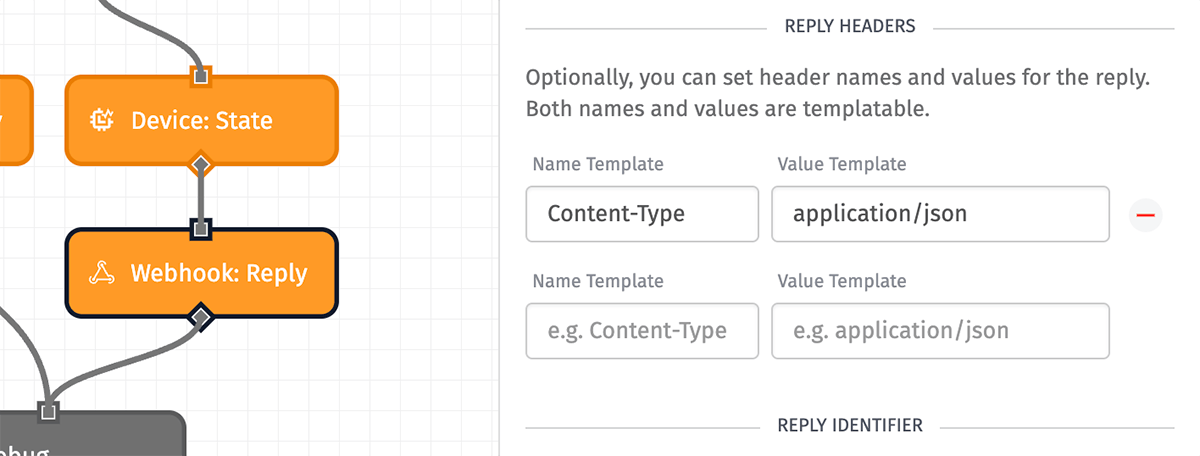
Arbitrary headers can also be set on the reply in the Reply Headers section. Both the Name Template and Value Template fields are templatable, so they are configurable based on the payload. In the example above, only one header field is set: Content-Type is set to application/json. This is set because the body of the reply is JSON. This will probably be the most common header to set — Losant does not automatically attempt to determine the content type.
Notes About Security
- Webhook replies allow a limited set of values for the
Content-Typeheader:application/json,application/xml,text/plain,text/xml, andtext/csv. If noContent-Typeis set, or an invalidContent-Typeis set, theContent-Typeof the response will be set toapplication/json. - Losant automatically sets protective values for the following headers, none of which can be overridden in a webhook reply:
X-Content-Type-Options,Content-Security-Policy, andX-XSS-Protection.
Reply Identifier
The Webhook: Reply Node includes an optional Reply Identifier section for configuring the payload path to the replyId.
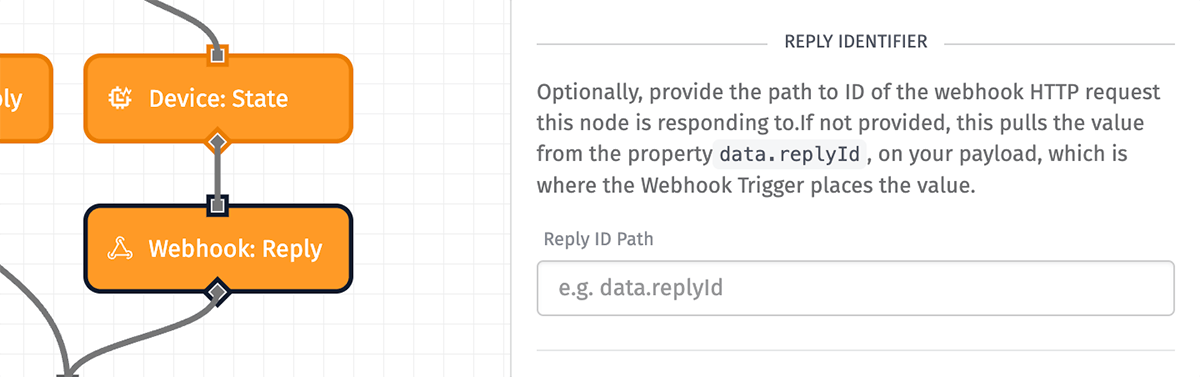
The Reply ID Path defaults to data.replyId, which is where the Webhook Trigger places the ID that represents the current HTTP request or WebSocket client. If you have moved this identifier to a different location on the payload, or you're using multiple workflows and passing this ID between them, you can provide an alternative payload path in this field. If there is no reply ID at the path given, the Webhook: Reply Node does nothing.
If you wish to send a message to a WebSocket client that is in response to some event other than a WebSocket client connection or received message, you must store the replyId value somewhere so that it can be referenced later when invoking this node (such as in workflow storage).
Considerations
The Webhook: Reply Node allows for sending a maximum message size of 256KB.
Was this page helpful?
Still looking for help? You can also search the Losant Forums or submit your question there.