Crypto: Hash Node
The Crypto: Hash Node allows you to create a cryptographic hash and put it on your payload.
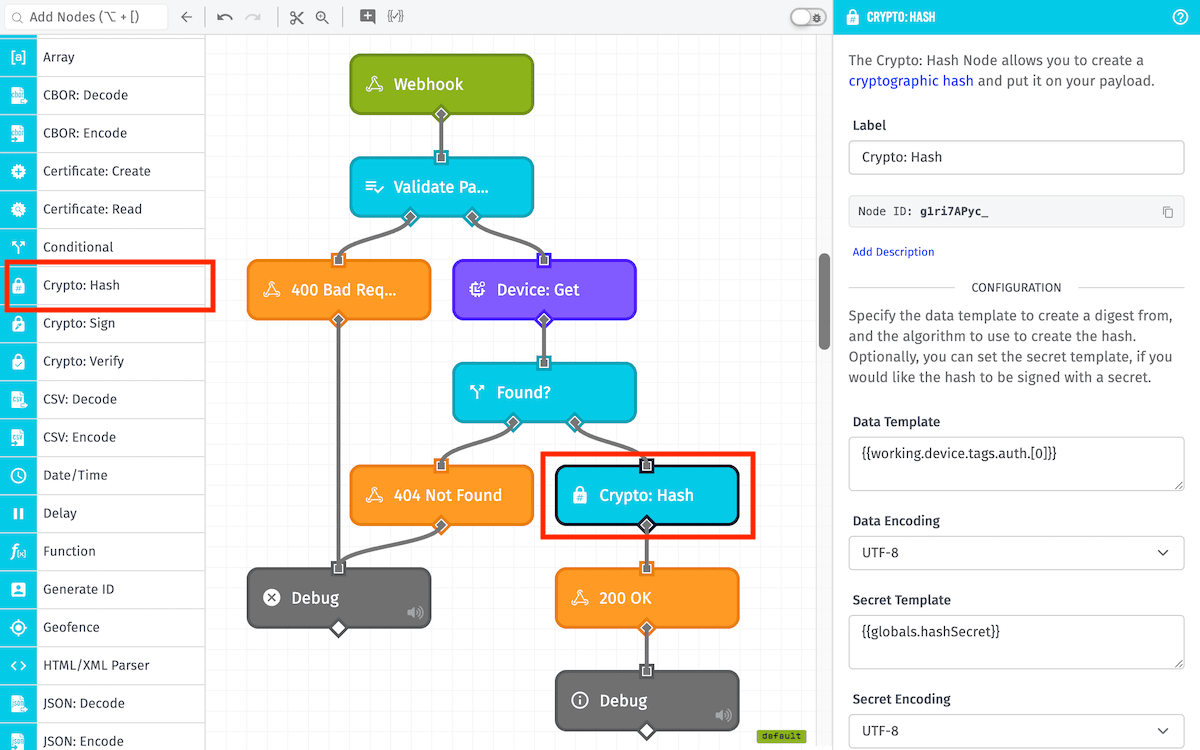
Node Properties
The Crypto: Hash Node's configuration is broken up into two sections ...
Configuration
First, define the data to encode, the secret to use for hashing, and options for the encoding:
- Data Template: (Required) A string template that is the input data (or message) used to create the hash.
- Data Encoding: The encoding of the provided data. By default
UTF-8is selected. - Secret Template: A string template, that when provided will be used to create an HMAC digest, instead of a straight hash of the provided data.
- Secret Encoding: The encoding of the provided secret. By default
UTF-8is selected. - Algorithm Type: (Required) The algorithm that is used to generate the hash. Options are:
Note: For Edge Workflows, the data and secret encoding options are only available in GEA version 1.32.0 or higher. In previous GEA versions, both the data and secret are assumed to be encoded as UTF-8.
Result Path
Next, define where to place the hashed data on the payload:
- Hash Encoding: The encoding the hash digest should be formatted in. By default
Hexis selected. - Destination Path: (Required) A payload path to store the hash on the payload, e.g.
data.hash.
Node Example
Given a Crypto: Hash Node with the following configuration ...
- Data Template:
{{working.myData}} - Data Encoding:
UTF-8 - Secret Template:
{{globals.mySecret}} - Secret Encoding:
UTF-8 - Algorithm Type:
SHA256 - Hash Encoding:
Hex - Destination Path:
working.hashedData
... and a payload of the following ...
{
  "working": {
    "myData": "Please Hash Me!"
  },
  "globals": {
    "mySecret": "ThisIsMySuperSecret?!"
  }
}
... the following would be placed on the payload at the path of working.hashedData:
51dc2babe0aaef1c659ff6068325c1c1fe4c34c06c294e98c7efc5f5c236256f
Related Nodes
Was this page helpful?
Still looking for help? You can also search the Losant Forums or submit your question there.