CBOR: Encode Node
The CBOR: Encode Node allows you to encode a part of the payload into CBOR (Concise Binary Object Representation) format, and store that result on the payload for later use.
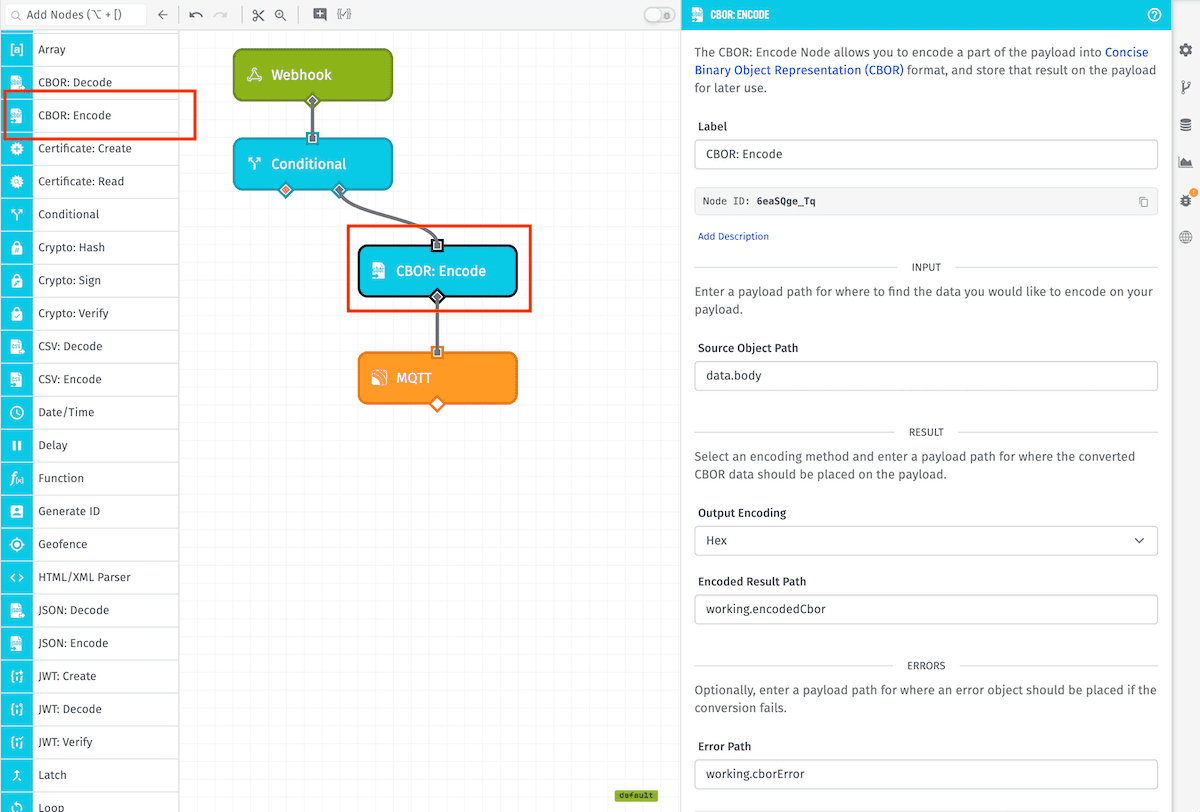
Node Properties
The CBOR: Encode Node's configuration is broken up into three sections ...
Input
- Source Object Path: The payload path to the object to encode.
Result
- Output Encoding: The encoding method to apply to the data. Options are:
- Base64
- Binary
- Hex (default)
- Encoded Result Path: The payload path at which to store the result.
Errors
- Error Path: The payload path for where to place info about any errors that occur while attempting to encode the value at Source Object Path.
Read more about handling errors from this node below.
Node Example
Given the following payload ...
{
  "data": {
    "body": {
      "hello": "world",
      "please": {
        "encode": "me",
        "as": ["C","B","O","R"],
        "times": 1
      }
    }
  }
}
... and a CBOR: Encode Node with the following settings ...
- Source Object Path:
data.body - Output Encoding:
Hex - Encoded Result Path:
working.encodedCbor
The payload after execution of the CBOR: Encode Node would look like:
{
  "data": {
    "body": {
      "hello": "world",
      "please": {
        "encode": "me",
        "as": ["C","B","O","R"],
        "times": 1
      }
    }
  },
  "working": {
    "encodedCbor": "a26568656c6c6f65776f726c6466706c65617365a366656e636f6465626d656261738461436142614f61526574696d657301"
  }
}
Use Case
The CBOR: Encode Node is commonly used in conjunction with the CBOR: Decode Node as a means of reducing bandwidth usage by an Edge Compute device. For example ...
- In an Edge Workflow, a CBOR: Encode Node converts an object into an encoded value, reducing the message's size in bytes.
- That value is then published to the Losant MQTT broker on a custom topic using the MQTT Output Node.
- In an Application Workflow, an MQTT Trigger fires on receipt of the message.
- The CBOR: Decode Node converts the encoded payload back into its original object.
- The rest of the workflow execution can save that data as device state or take some other action within the application.
Node Errors
In the case that the value found at the Source Object Path fails to encode, no value will be placed at the Encoded Result Path; however, an object detailing the error will be placed at the Error Path if a path is provided.
Below is an example of an error stored on the payload at the path working.cborError:
{
  "working": {
    "cborError": {
      "type": "CBOR_ENCODE_NODE_ERROR",
      "message": "Encoding must be one of the following: base64, binary, hex."
    }
  }
}
Related Nodes
Was this page helpful?
Still looking for help? You can also search the Losant Forums or submit your question there.