JSON: Decode Node
The JSON: Decode Node allows a workflow to decode a JSON (JavaScript Object Notation) string on the payload, and store that result on the payload for later use.
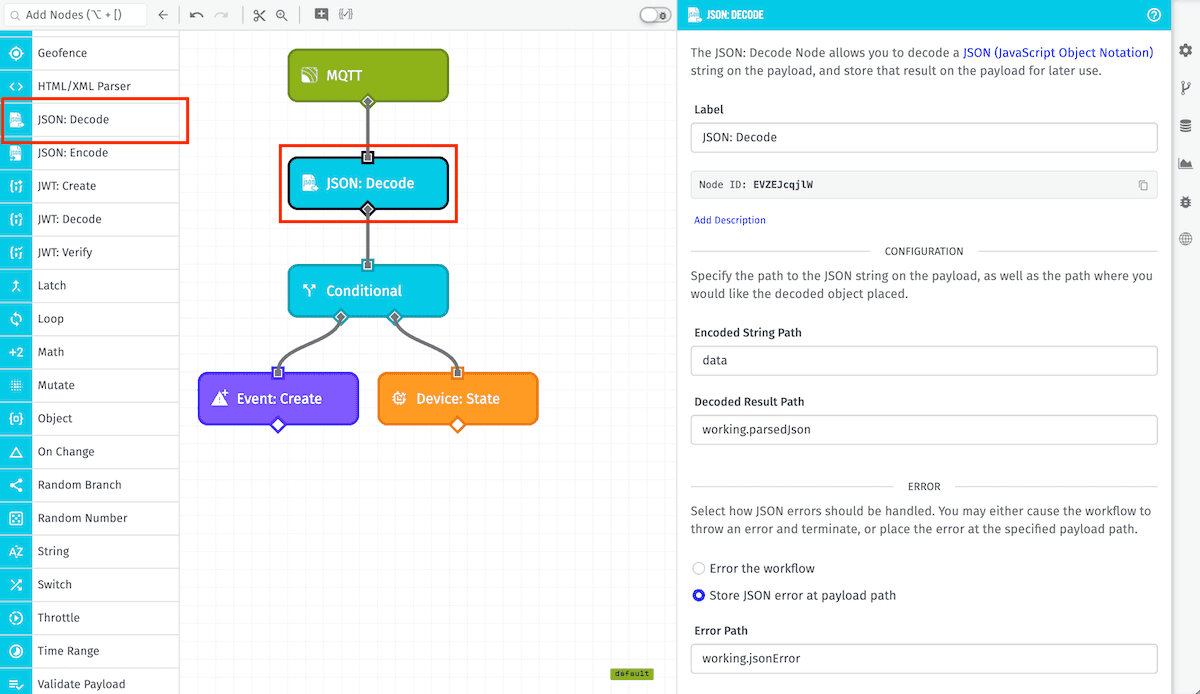
Node Properties
The JSON: Decode Node's configuration is broken up into two sections ...
Configuration
First, define the JSON string data source and the destination for the result:
- Encoded String Path: The payload path to the string to decode.
- Decoded Result Path: The payload path at which to store the result.
Note: It is possible for both paths to be the same, in which case the JSON string will be replaced by the decoded result.
Error
Next, define the error handling behavior. In the case that the provided JSON string fails to parse, there are two possible options for how to handle the error.
- Error the workflow: Halt the workflow at this node, preventing further execution.
- Store JSON error at payload path: Configure a payload path at which to store the error.
Note: For Edge Workflows, this option is only available GEA version 1.14.0 or higher. On older versions, the workflow will always halt on errors.
Read more about handling errors from this node below.
Node Example
In the above example, the workflow will decode the string at the data path and place the resulting object at the working.parsedJson path. So, for example, given the following payload:
{
  "data": "{\"messageBody\":[12,24],\"name\":\"Trigger52\"}",
  "time": Fri Feb 19 2016 17:26:00 GMT-0500 (EST),
  ...
}
The payload after execution of the JSON: Decode Node would look like:
{
  "data": "{\"messageBody\":[12,24],\"name\":\"Trigger52\"}",
  "working": {
    "parsedJson": {
      "messageBody": [
        12,
        24
      ],
      "name": "Trigger52"
    }
  },
  "time": Fri Feb 19 2016 17:26:00 GMT-0500 (EST),
  ...
}
Node Errors
In the case that the provided JSON string fails to parse, there are two possible options. You can either error the workflow, or you can store the error at a path on the payload.
Below is an example of an error stored on the payload:
{
  "data": "notJson",
  "working": {
    "jsonError": {
      "message": "Invalid JSON source: data",
      "type": "JSON_DECODE_NODE_ERROR"
    },
  },
  "time": Fri Feb 19 2016 17:26:00 GMT-0500 (EST),
  ...
}
Related Nodes
Was this page helpful?
Still looking for help? You can also search the Losant Forums or submit your question there.